
Imagine getting back hours of your workday by changing how you write emails. For many, this isn’t just a dream—it’s a daily struggle that impacts how much they enjoy their job.
Email is key in today’s digital world. It’s how contractors talk to clients, bosses chat with their teams, and teachers reach out to students. People spend about 28 percent of their workday on emails.
This means more than two hours a day just on emails. It makes us wonder if we’re using our time wisely and if our emails are good enough.
A study by Noy & Zhang (2023) found that AI email tools cut writing time by 40 percent. This big improvement has made people curious about using AI for emails. But is speed all that matters?
This article looks into if AI email rewrites are really better than emails written by people. We’ll check out how fast they are, if they’re professional, if they’re real, and the importance of human touch. Knowing what AI can and can’t do helps us decide if it’s right for our work.
Key Takeaways
- Professionals spend nearly one-third of their workday managing email correspondence, making efficiency improvements valuable for workplace productivity
- Research demonstrates that artificial intelligence tools reduce email writing time by approximately 40 percent compared to traditional methods
- Email remains the primary communication channel across business sectors, connecting contractors, employees, supervisors, and academic professionals
- Evaluating automated writing assistance requires examining multiple factors beyond speed, including professionalism, authenticity, and relationship building
- Understanding both the strengths and limitations of technology helps professionals make strategic decisions about workflow integration
- The effectiveness of automated correspondence tools depends on balancing efficiency gains with maintaining the human connection essential to professional relationships
Introduction to AI in Email Communication
AI-powered software has changed how we write emails at work. It’s a big shift for businesses around the world. Now, teams can write, edit, and manage emails better than ever before.
Everyone from new employees to top bosses is using these tools. They help understand the meaning behind words. This makes work easier and faster.
Teams are now spending more time on creative tasks. They don’t have to waste time on simple emails. This lets them focus on what really matters.
Core Technologies Powering Email Intelligence
Modern email helpers use advanced tech to understand us better. Tools like GPT-4o and Claude are at the forefront. They learn from huge amounts of text to get better at understanding us.
These tools break down text into parts and find connections. They get the meaning, intent, and feelings behind words. This helps them suggest better ways to write.
From simple grammar checks to smart writing helpers, we’ve come a long way. Early tools were basic. Now, AI learns from us and gets better over time.
Today’s AI can understand past emails, know how to communicate in a company, and write responses that feel real. They keep things professional too.
These tools get better as more people use them. They learn about specific words, cultures, and feelings. This makes their suggestions even better.
| AI Technology Component | Primary Function | Key Benefit |
|---|---|---|
| Large Language Models | Understanding text meaning and context | Generates human-like, contextually appropriate content |
| Natural Language Processing | Analyzing grammar, syntax, and semantics | Identifies errors and suggests precise corrections |
| Machine Learning Algorithms | Learning from user patterns and feedback | Personalizes suggestions to individual writing styles |
| Sentiment Analysis | Detecting emotional tone and intent | Ensures appropriate formality and empathy levels |
The Emergence of Intelligent Email Assistants
The market for AI email tools is growing fast. Microsoft Copilot is leading the way. These tools do more than just write emails; they help with everything email-related.
Everyone is using these tools, from CEOs to new employees. They save a lot of time on emails. Young professionals feel more confident in their writing thanks to AI.
The main benefits are saving time and writing clearer emails. People say AI helps them be more polite and professional. This means teams can handle more emails without losing quality.
Today’s AI email tools have many features. They can write emails, improve drafts, adjust tone, and sort emails. Some even flag important messages.
The competition is getting fiercer as new features are added. Developers are focusing on understanding context, personalizing, and working well with other tools. The goal is to find the right mix of human creativity and machine efficiency.
More and more businesses are using AI email tools. They see big improvements in how fast they respond, the quality of emails, and how happy employees are. The big question is which tool fits their needs best.
Understanding Email Writing Challenges
Writing professional emails is tough because you need to be clear, professional, and have the right tone. Emails can have assignments, updates, or sensitive info that must be shared well. These email communication challenges affect everyone in all fields.
Good email writing saves time, avoids mistakes, and builds trust and strong work bonds. But, many struggle to write messages that meet these goals. Bad emails can harm your reputation and mess up projects.
Emails help us connect and build relationships with colleagues, clients, and team members. People in international teams think about how their message will be received. They look for the right words to avoid offense. This makes professional email writing even harder in today’s global business world.
Common Pitfalls in Email Communication
Many mistakes plague email communication and make it less effective. Unclear subject lines are a big problem, leaving people unsure of what to expect. When important info is hidden in long paragraphs, busy people often miss it.
Long emails are another big challenge in professional email writing. Messages that go on too long overwhelm readers and lower response rates. People don’t have time to read long emails when their inboxes are full.
Grammar mistakes and typos hurt your credibility fast. They show you’re careless and don’t pay attention to details. In emails to clients, these mistakes can cost you business and damage trust.
Not thinking about the recipient’s point of view can cause problems. Writers who only focus on what they want to say often forget what the recipient needs to know. This leads to confusion about tasks, deadlines, and expectations.
| Email Pitfall | Impact on Communication | Common Consequence |
|---|---|---|
| Unclear Subject Lines | Recipients cannot prioritize messages | Delayed responses or missed emails |
| Buried Key Information | Critical details get overlooked | Incomplete task completion |
| Excessive Length | Readers lose focus and interest | Ignored messages or requests |
| Poor Structure | Difficult to follow logic or action items | Confusion about next steps |
| Grammatical Errors | Damaged professional credibility | Lost business opportunities |
International business communication adds more challenges because of language barriers and cultural differences. What’s polite in one culture might seem rude in another. This requires careful thought that many lack the time or training for.
The Importance of Tone and Clarity
Tone is key in emails because it can make a message seem helpful or hostile, professional or casual. Emails lack the tone and body language of face-to-face talks. So, choosing the right words and structure is critical.
The right tone and clarity depend on the situation and who you’re talking to. Emails to supervisors need a different tone than emails to peers or direct reports. The same message can motivate or upset people, depending on the tone.
Being clear means the recipient knows what to do and by when. Vague requests like “please handle this soon” are unclear. Specific language like “please submit your report by Friday at 3 PM” sets clear expectations.
The emotional impact of tone and clarity goes beyond just the message. Consistent, well-written emails build trust and rapport. People value clear, well-timed messages from senders.
Here are key elements for the right tone:
- Match formality level to relationship and organizational culture
- Use positive language that focuses on solutions
- Avoid ALL CAPS, excessive exclamation points, or aggressive formatting
- Include courteous openings and closings
- Read messages aloud before sending to catch harshness
These email communication challenges take a lot of mental energy and time. Writing each email perfectly is exhausting when you send dozens daily. This is why automated email enhancement tools are becoming popular. They help keep quality high while saving effort.
How AI Analyzes Email Content
Modern AI email tools use two main technologies to understand written communication. They don’t just look at words randomly. Instead, they use advanced methods to understand context, emotion, and purpose.
Systems like GPT-4o and Claude have become very good at understanding human language. They can look at email content from different angles. This means they can see not just what you’re saying but how you’re saying it.
Natural Language Processing Explained
Natural language processing for emails is key to AI’s ability to get your messages. This tech lets computers understand human language by breaking it down into smaller parts. It’s like teaching a machine to read between the lines.
NLP starts with breaking down your email into words and phrases. Then, it builds understanding by seeing how these pieces relate to each other. The AI figures out which words change others, how sentences connect, and what the message is about.
Understanding context is a big part of NLP. The system doesn’t just look at words alone. It gets their meaning from the text around them. For example, it can tell if you mean “I need this by Friday” (urgent) or “Friday would be great if possible” (flexible).
Sentiment analysis takes this understanding even further. It looks at word choice, punctuation, and phrasing to figure out the emotional tone. It can tell if someone is frustrated, excited, or neutral about something.
Natural language processing has grown from simple pattern matching to truly understanding context. This lets machines grasp the complex nuances of human communication.
Intent recognition works with sentiment analysis to figure out what the sender wants. The AI can tell if someone is asking for info, giving updates, seeking approval, or giving feedback. This helps the system suggest the right responses for the situation.
Modern AI content analysis can spot specific things in your emails:
- Key topics and main discussion points
- Questions needing answers
- Statements of fact versus opinions
- Level of formality and professional tone
- Urgency indicators and priority markers
Machine Learning in Email Drafting
Machine learning email editing is the other main part of AI email analysis. While NLP helps understand language, machine learning makes the AI better over time. These algorithms learn from successful emails to suggest better ones.
The learning process involves analyzing many email examples. The system finds out which writing styles work best in different situations. It learns about professional language and how effective emails are structured. Each time you use it, the AI gets a little better.
Machine learning is great at spotting patterns humans might miss. It can see that certain phrases lead to positive responses or that specific subject lines get more opens. These patterns help the AI make smart suggestions.
One useful thing machine learning does is automatic tagging and categorization. It can sort emails by topic, urgency, or department. The system learns your preferences and applies them consistently.
Email summarization is another key feature. The AI can make long threads shorter, highlighting the most important points. This is super helpful when you’re busy or need to quickly get the gist of a long email.
Data extraction shows how machine learning helps with everyday email tasks:
- Identifying deadlines and due dates automatically
- Detecting meeting requests and scheduling needs
- Extracting action items and task assignments
- Recognizing contact information and important details
- Flagging follow-up requirements and next steps
Together, these technologies create a system that gets your emails on a deeper level. AI content analysis goes beyond just reading words. It understands the purpose, tone, and implications of your messages. This deep understanding lets AI tools offer real suggestions to improve your emails, not just fix spelling mistakes.
Key Features of AI Email Rewriting Tools
Email optimization with AI has grown beyond simple fixes. It now includes smart analysis and writing help. These tools offer many features that improve all parts of email writing. They check grammar and understand the context, something old software can’t do.
AI tools are different from basic word processors. They look at the whole message, not just words. This makes emails professional and clear.
Advanced Error Detection Beyond Basic Spell Check
AI’s grammar checking is much better than old programs. It looks at how words relate to each other. For example, it knows when to use “affect” or “effect.”
AI also checks complex grammar. It finds mistakes in long sentences and fixes tense issues. This keeps emails professional.
Punctuation errors get a lot of attention too. AI flags missing commas and semicolons. It explains why these changes are important.
Customizable Writing Style for Every Audience
AI can change the tone of your emails. You can choose from formal to friendly. This is great for different audiences.
For example, a delay notice to bosses is formal. But to team members, it’s more collaborative. AI makes these changes quickly.
AI is very helpful for those who are not native English speakers. It shows different styles to help with formality. This helps improve writing skills.
| Communication Context | Appropriate Tone | Key Language Elements | Example Opening |
|---|---|---|---|
| Executive Update | Formal & Direct | Concise statements, data emphasis, action-oriented | “This memo outlines Q3 performance metrics and strategic recommendations.” |
| Team Collaboration | Friendly & Inclusive | Conversational phrases, collaborative language, encouragement | “Hey team, let’s brainstorm solutions for this challenge together.” |
| Client Communication | Professional & Warm | Appreciative language, solution-focused, relationship-building | “Thank you for raising this concern—we’re committed to resolving it promptly.” |
| Apology Message | Sincere & Accountable | Acknowledgment of impact, ownership, corrective actions | “I apologize for the oversight and have implemented steps to prevent recurrence.” |
Intelligent Context Recognition and Message Personalization
AI goes beyond just adding names to emails. It keeps conversations going by referencing past emails. This makes responses feel connected.
AI uses all kinds of information to make emails personal. It knows about the recipient’s role and preferences. This makes messages more effective.
AI also improves subject lines. Good subject lines can increase open rates by 50%. AI suggests strong verbs and avoids spam words.
AI understands the bigger picture too. It knows about market changes and company news. This makes emails timely and relevant.
AI’s grammar, tone, and personalization work together. They make emails credible, friendly, and personal. This turns email into a way to connect professionally.
Benefits of Using AI for Email Rewriting
Studies show that AI email tools save a lot of time and boost productivity for people in many fields. They do more than just fix mistakes. They change how we handle our emails. Companies that use AI see big improvements in how fast and well they work.
AI is great because it solves many problems at once. It makes writing emails faster and better. This is a big win for busy people.
Time Efficiency in Email Management
One test showed that using ChatGPT cut writing time by 40 percent. This means a lot of time saved each week. For example, someone writing 20 emails a day saves about eight hours a week.
People say AI makes their email work easier. It gets rid of the blank-page problem. No more staring at a blank screen for minutes.
AI also makes editing faster. It suggests changes right away, not after many revisions. This makes writing emails less stressful and lets people focus on more important tasks.
Enhanced Professionalism and Polished Output
AI helps people write clearer and more professionally. It makes ideas come across better. This is really helpful for those who struggle with writing or speak English as a second language.
AI turns bad drafts into great emails fast. It changes simple language into professional email writing. For example, “Need this ASAP” becomes “I would appreciate receiving this by end of day if possible,” showing both urgency and politeness.
AI also makes emails consistent. Every email is the same high quality, no matter when it was written. This means no embarrassing mistakes, which is important for work with bosses or clients.
AI is very helpful in situations where how you present yourself matters a lot. It makes sure messages are professional, even when talking about sensitive topics. This makes people feel more confident and happy at work.
Scalability for High-Volume Communications
AI email tools are great for sending lots of similar emails. Customer service, sales, and project managers often need to send emails to many people. AI can make these emails fast and keep them all high quality.
For sending lots of emails, AI tools can quickly make content. You can tell it what to include, and it makes emails for different groups. For example, you can send the same message to customers, partners, and your team at the same time.
AI makes answering common questions easier with automated templates and smart suggestions. It handles things like out-of-office messages and FAQs with little help from humans. This lets people focus on more creative and important emails.
AI helps even more as you send more emails. Companies with lots of customer questions find AI keeps their answers good while they can handle more. This makes teams happier and customers more satisfied.
| Communication Aspect | Manual Email Writing | AI-Assisted Email Writing | Improvement Factor |
|---|---|---|---|
| Average Composition Time | 8-10 minutes per email | 5-6 minutes per email | 40% time reduction |
| Error Rate | 3-5 errors per 100 emails | Less than 1 error per 100 emails | 80% error reduction |
| Daily Email Capacity | 30-40 emails per person | 50-70 emails per person | 67% capacity increase |
| Consistency Score | Variable (60-90%) | Consistent (85-95%) | Professional standard maintained |
These changes are why more people use AI email tools. They offer speed, quality, and the ability to handle lots of emails. Companies see quick benefits in how well and fast they work.
Limitations of AI in Email Writing
Artificial intelligence offers many benefits in email writing, but it has AI limitations that stop it from fully replacing human judgment. These limits are clear when emails need real human connection or a deep understanding. Knowing these limits helps us use AI tools right, keeping our communication real.
When Technology Misses the Human Element
The biggest issue with AI in email writing is emotional intelligence. It can’t truly understand and respond to human emotions and complex social situations. AI can mimic emotions based on patterns, but it lacks real empathy and can’t handle delicate situations well.
People often see AI emails as not being genuine. They feel the messages lack effort and feel hollow. Experts say adding a personal touch to AI emails can help avoid this feeling.
Some situations need emotional authenticity that AI can’t provide. Giving tough feedback, showing real appreciation, or dealing with workplace conflicts all need human touch. Even if AI emails are technically correct, they can feel wrong or fake in these cases.

Another problem is emotional dissonance. This is when your real feelings don’t match the AI message. For example, if you’re upset but send a nice AI email, it can be stressful. This mismatch can be mentally draining over time.
The Hidden Costs of Convenience
Using AI too much can lead to deskilling risks. It can make you less skilled at writing. Writing skills improve with practice, and AI takes away this chance. This can make professionals less able to write well on their own.
Writing skills are important for more than just emails. They’re needed for talking, presentations, and situations where AI isn’t helpful. Relying too much on AI can leave you unprepared for these situations.
Writing helps us think and understand complex situations. Writing is thinking. When AI does this work, we miss out on chances to reflect and grow. This can weaken our communication and thinking skills.
AI tools might make our work easier but can also make it harder. They can lead to more emails, as people expect quick answers. This can make our workload increase, not decrease.
Using AI can make us less skilled at finding the right words and tone. This is a problem when AI can’t help or when we’re talking in person. The deskilling risks affect more than just writing skills, they impact our ability to communicate well.
Letting AI write our emails means we communicate less authentically. We miss the chance to connect with others. Finding the right words and considering how others will receive our message is important. This skill strengthens relationships and makes us more effective, something AI can’t do.
Comparing AI with Human Email Writers
Email communication is at a crossroads. Artificial intelligence meets human creativity and judgment here. Each has its own strengths for different situations. Knowing these helps professionals choose when to use AI and when human touch is needed.
AI and human writing differ in how messages are made. AI uses algorithms and pattern recognition. Humans use experience, emotion, and understanding that goes beyond data.
When it comes to personalized emails, the choice is key. Speed or creativity, consistency or personal touch, shapes every message’s success.
The Speed Advantage Versus Creative Innovation
AI tools write emails fast. A task that takes humans minutes is done in seconds. This speed helps professionals with many emails.
But, AI’s speed limits its creativity. It produces responses based on patterns in data. Human writers create new ideas that break these patterns when needed.
Creative communication is key in some situations. For example, in proposals, pitches, and difficult conversations. It’s also important for building genuine relationships and solving complex communication challenges.
- Developing compelling proposals that stand out from competitors
- Writing persuasive pitches that capture attention in crowded inboxes
- Crafting unique approaches to difficult conversations or sensitive topics
- Adding humor and warmth that builds genuine relationships
- Solving complex communication challenges with innovative strategies
AI can mimic creative writing, but it lacks true innovation. When a message needs to surprise or persuade, human judgment is essential.
AI is great for routine emails. It’s fast and consistent without sacrificing quality. It’s perfect for things like meeting confirmations and standard responses.
Maintaining Standards Versus Adding Personal Connection
AI ensures every message is consistent. It never has a bad day or lets fatigue affect its work. The system never has an off day, never lets frustration affect word choice, and never allows fatigue to compromise message clarity.
This consistency is good for brands and customer service. Companies using AI for many emails ensure a professional tone. Quality never changes, no matter the sender’s mood.
But, consistency can hurt personal connections. Human writers add a personal touch AI can’t match. They understand past conversations and show genuine care through small changes.
A New York Times journalist tried using AI for work emails for a week. Some colleagues thought she was annoyed. The AI messages lacked her usual warmth, causing confusion.
This shows how important personalized emails are. A message that doesn’t match the sender’s usual tone can be jarring. It creates uncertainty that can harm professional relationships.
Editor and writer Madeleine Holden said something important:
Treating someone well means considering what they want and need. This can be hard because people are complex. It’s not just about the message, but the thought behind it.
Using AI for emails means we think less about the recipient. It produces correct text but lacks the thoughtfulness that makes messages meaningful. People value knowing the sender cared, not just that the content was right.
“It’s the thought that counts” is true for email too. A slightly imperfect message with real care can connect more than a perfect AI response without feeling.
Human writers know when to be formal or casual. They adapt based on subtle cues AI can’t get. This makes messages feel truly tailored to each person.
AI and human email writers have different strengths. AI is fast and consistent. Humans bring creativity, connection, and thoughtfulness. The best approach often uses both wisely.
Popular AI Email Rewriting Tools
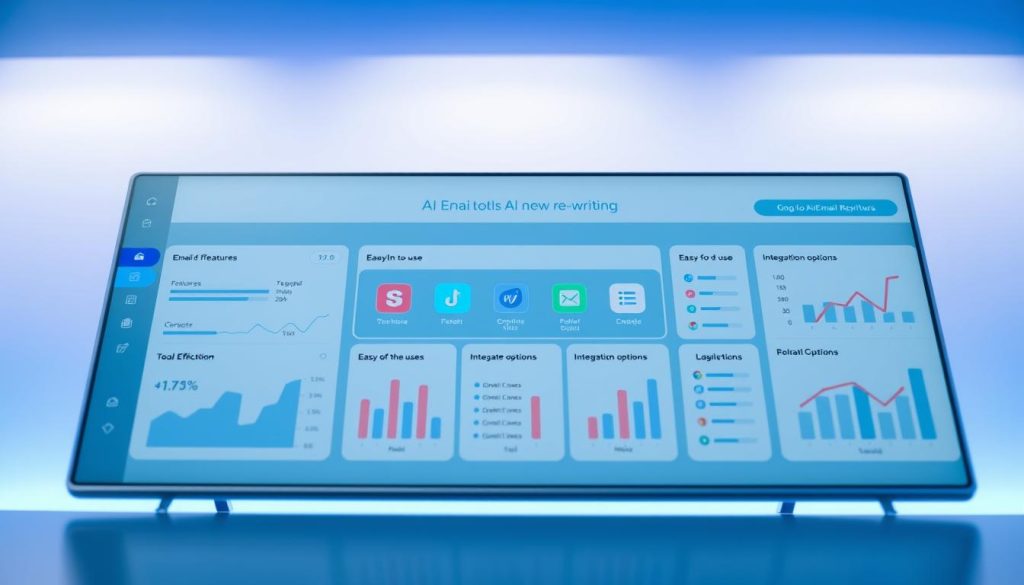
Several powerful AI email rewriting tools have emerged as leaders in transforming written communication. Each platform takes a unique approach to solving email challenges, from basic grammar correction to complete message composition. Understanding the strengths of different AI email tools helps professionals select the solution that best fits their workflow and communication needs.
The competition among email software providers has intensified dramatically. Companies are racing to integrate advanced artificial intelligence features that genuinely improve how people write and manage emails. This healthy competition benefits users with more choices and better features across all price points.
The Writing Assistant Pioneer
Grammarly started as a grammar and spelling checker but has evolved into a writing assistant. It now offers AI-powered composition features alongside its traditional correction capabilities. Its browser extension works seamlessly across email platforms, making it accessible wherever professionals write.
The tool excels at real-time feedback while users type. It catches grammatical errors instantly and suggests clarity improvements as sentences form. This immediate guidance helps writers learn and improve their skills over time, not just correct mistakes after the fact.
Grammarly’s tone detection feature analyzes how messages might be perceived by recipients. It identifies whether writing sounds formal, casual, confident, or uncertain. Users can adjust their tone based on these insights before hitting send, reducing miscommunication risks.
The platform serves professionals who want continuous writing improvement, not full automation. It maintains the writer’s voice while polishing their output. Grammarly works well for individuals who draft their own emails but need quality assurance and style refinement.
The Marketing-Focused Content Generator
Jasper AI originated as a marketing content platform and expanded to include email capabilities. It uses a template-based approach that guides users through email creation step by step. This structured method helps maintain consistency across all business communications.
One standout feature is brand voice customization. Companies can train Jasper to match their specific communication style, ensuring all emails reflect organizational standards. This capability proves invaluable for teams needing to maintain unified messaging across multiple writers.
The platform offers numerous tone options and style variations. Users can switch between professional, friendly, persuasive, or informative approaches with a single click. This flexibility allows the same person to craft different message types without starting from scratch each time.
Jasper AI works best for businesses handling substantial email volumes. Marketing teams, sales departments, and customer service groups benefit most from its template library. The tool scales efficiently when multiple team members need to produce similar email types repeatedly.
The Sales and Outreach Specialist
Copy.ai focuses on generating sales emails, outreach messages, and follow-up communications. It understands the unique requirements of prospecting and relationship-building emails. Its templates reflect proven copywriting principles designed to generate responses.
The tool excels at creating email sequences, not just single messages. Users can generate entire campaigns with multiple touchpoints, each building on the previous message. This sequential approach mirrors how successful sales professionals actually communicate with prospects.
Copy.ai provides workflow automation alongside content generation. Users input key information about their product, audience, and goals, then receive complete email drafts. The system handles both the creative and structural elements of effective outreach.
Sales professionals and business development teams find the greatest value in this platform. It addresses the specific challenge of maintaining personalization while reaching large numbers of prospects. Copy.ai helps scale outreach efforts without sacrificing message quality or relevance.
Emerging Competitors and Specialized Solutions
Beyond the major players, several innovative AI email tools target specific use cases. Shortwave revolutionizes email search with natural language queries, allowing users to ask questions to find old conversations or extract data from threads. The platform also generates content and schedules meetings through conversational commands.
Microsoft Copilot Pro for Outlook integrates directly into the Microsoft ecosystem. Its “Coaching by Copilot” feature analyzes draft messages for tone, content, and structure before sending. This preview capability helps users understand how receivers might interpret their messages.
Gemini for Gmail offers seamless integration for Google Workspace users. The tool summarizes long email threads, drafts contextually appropriate replies, and pulls information from Google Search when additional context helps. This deep integration makes it feel like a native Gmail feature, not an add-on.
Apple Intelligence for Apple Mail runs entirely on-device, addressing privacy concerns many professionals share. Processing emails locally means sensitive information never leaves the user’s device. This approach appeals to privacy-conscious organizations and individuals handling confidential communications.
Superhuman combines AI generation with powerful keyboard shortcuts and message templates. The platform emphasizes speed and efficiency, attracting users who process high email volumes. Its hybrid approach blends automation with manual control for maximum productivity.
Notion Mail brings sophisticated AI-powered filtering to inbox management. The tool offers granular filtering options that automatically categorize and prioritize incoming messages. This organizational capability complements its email composition features for complete inbox control.
| Tool Name | Primary Strength | Best For | Integration Type | Key Feature |
|---|---|---|---|---|
| Grammarly | Real-time writing assistance | Individual professionals | Browser extension | Tone detection and clarity suggestions |
| Jasper AI | Brand voice consistency | Marketing and sales teams | Standalone platform | Custom brand voice training |
| Copy.ai | Sales email sequences | Business development teams | Standalone platform | Campaign sequence generation |
| Microsoft Copilot Pro | Message coaching | Outlook users | Native Outlook integration | Pre-send impact analysis |
| Gemini for Gmail | Thread summarization | Google Workspace users | Native Gmail integration | Google Search context integration |
The email software comparison reveals no single “best” solution for everyone. Each platform serves different needs and workflows effectively. Professionals should evaluate their specific requirements, existing tools, and communication patterns when selecting an AI email assistant.
Price considerations also vary significantly across these platforms. Some tools offer free tiers with basic features, while others require premium subscriptions for full capabilities. The investment should align with how much time the tool saves and how significantly it improves communication outcomes.
Testing multiple AI email tools before committing helps identify the best fit. Most platforms offer trial periods or free versions that demonstrate core functionality. Hands-on experience reveals which interface feels intuitive and which features actually get used in daily work.
User Experiences and Testimonials
Professionals from all walks of life have seen big changes in how they handle emails with AI’s help. From CEOs to young professionals, user testimonials show time savings and clearer messages. These stories prove AI email tools really make a difference in daily work.
Early users share both excitement and honest thoughts about AI. Many see AI as a helpful partner, not a full replacement. This view offers great insights for those thinking about using these tools.
Real Users Share Their Stories
Executives say AI saves them a lot of time and energy when writing emails. This lets them focus on big decisions and important tasks. One leader said AI helps them communicate clearly, even when things get tough.
Professional experiences vary based on job and how AI is used. Mid-level managers use AI to keep team talks consistent while working on many projects. They like how AI helps them send professional replies quickly.
Young professionals find AI very helpful. They don’t have a lot of experience writing for work, so AI helps them meet standards. It also helps them feel more confident when talking to important people.
People who tried ChatGPT say it helps them make emails better. One person uses it to turn bullet points into easy-to-read emails. This mix of human ideas and AI’s language skills works well.
But, users also face challenges. Learning to use AI well takes time and practice. Sometimes, AI’s suggestions don’t fit right, and adding personal touches is key.
| Professional Level | Primary AI Use Case | Reported Benefits | Common Challenges |
|---|---|---|---|
| C-Suite Executives | High-volume strategic communications | 60-70% time savings, consistent professionalism | Maintaining authentic leadership voice |
| Mid-Level Managers | Team coordination and project updates | Reduced back-and-forth exchanges, clarity improvements | Balancing efficiency with personalization |
| Early-Career Professionals | Learning business communication standards | Increased confidence, skill development | Over-reliance concerns, prompt effectiveness |
| Customer Service Teams | Response standardization and speed | 40% faster response times, quality consistency | Handling complex emotional situations |
| Sales Professionals | Outreach scaling and follow-ups | 3x contact volume, personalization at scale | Avoiding generic-sounding messages |
Documented Success Stories
A New York Times journalist tried using AI for all work emails for a week. The experiment showed big time savings but also some issues. The journalist finished tasks in half the time, but some colleagues didn’t like the AI’s tone.
This test showed that AI implementation success depends on the situation and who you’re talking to. Emails to new contacts worked better than those to close colleagues. It showed the need to know when to use AI and when to use your own voice.
Customer service teams have seen big wins with AI. One company cut response times by 40% without losing quality or customer satisfaction. They use AI for simple questions and save human time for harder issues.
Sales teams also report big wins with AI. One salesperson tripled their contacts without losing personal touch. They use AI to draft emails based on prospect info, keeping messages real and reaching more people.
Non-native English speakers find AI very helpful. It boosts their confidence in writing professional emails. AI helps them overcome language barriers, opening up new career paths.
A marketing manager uses AI to tailor messages for different groups. She gives the main points and audience details, and AI makes versions for executives, team members, and partners. This keeps messages consistent while respecting different preferences.
These real-world applications show AI’s value in many situations. Users say success comes from seeing AI as a helper, not a replacement. The best results mix AI’s efficiency with human insight and personal touch.
Adjusting to AI takes time, but most see big improvements in two to three weeks. Learning to write good prompts and knowing when to change AI’s suggestions takes practice. User testimonials suggest patience is key to getting the most out of AI.
Best Practices for Using AI in Email Communication
The most successful professionals don’t just accept AI suggestions blindly—they treat them as collaborative starting points. Implementing best practices when working with AI email tools transforms them from simple automation into powerful communication enhancers. The key lies in understanding where AI excels and where human judgment remains irreplaceable.
Experts recommend that workers add a personal touch to AI-generated emails. This approach captures the efficiency benefits of AI email optimization while maintaining the authenticity that recipients value. The consideration behind a message matters as much as the message itself.

Microsoft Copilot demonstrates industry recognition of this principle by showing a pop-up reminder when users click to send AI-generated emails. The notification reminds users that AI may be inaccurate and invites them to revisit content before pushing it out. This built-in checkpoint encourages the human review that separates effective AI use from over-reliance.
Refining Automated Suggestions
AI-generated content should be viewed as a first draft requiring human refinement. This mindset shift ensures you maintain quality control while benefiting from AI’s speed. Treating AI output as a foundation protects against common pitfalls.
Several specific techniques improve AI-generated emails before sending. Review AI output for factual accuracy. Adjust tone to match your authentic voice and the specific recipient relationship, as AI often defaults to generic formality.
Adding or removing details based on context AI might not fully understand strengthens your message. Ensure the email addresses the recipient’s actual needs. These contextual edits transform adequate AI drafts into truly relevant communications.
Providing better prompts to AI tools generates higher-quality initial drafts that require less editing. Be specific about desired tone when requesting AI assistance. Provide relevant context about the situation and recipient relationship. Specify key points to include so AI focuses on what matters most.
It is not only the final output but the work that went into making it that makes something valuable.
Learning to identify common AI mistakes accelerates your editing process. Watch for these frequent issues in AI-generated emails:
- Overly formal or generic language that doesn’t match your typical style
- Repetitive phrasing that appears throughout the message
- Inclusion of irrelevant information based on misunderstood context
- Missing critical details that only human knowledge would capture
- Tone inconsistencies between paragraphs or sections
Developing an eye for these patterns helps you quickly refine AI suggestions. This skill becomes more intuitive with practice, making AI email optimization faster over time. The editing phase is where your expertise adds the most value.
Integrating Technology with Human Touch
Combining AI assistance with personal insights creates the most effective email communication strategy. This hybrid approach leverages AI for structural and grammatical foundation while adding personal elements manually. The result balances efficiency with authenticity.
Use AI for the framework, then add elements that reflect genuine connection. Open with a personal reference that shows you remember previous conversations. Include specific details only you would know about the recipient or situation. Incorporate your communication style quirks that make emails recognizably yours.
Ensuring emotional tone matches your authentic feelings prevents the disconnection recipients sense in purely AI-generated content. Users can individually edit emails to add personality if concerned about writing lacking a human touch. This personalization strategy maintains relationships while capturing time savings.
Different email types benefit from varying levels of AI involvement. Consider these hybrid workflows for different situations:
| Email Type | AI Involvement | Human Contribution | Best Approach |
|---|---|---|---|
| Routine Updates | High (70-80%) | Light editing for tone | Use AI draft with minor adjustments |
| Client Relationship Building | Medium (40-50%) | Extensive personalization | AI structure, human voice and details |
| Sensitive Negotiations | Low (20-30%) | Primarily human-written | AI for grammar check only |
| Mass Communications | High (60-70%) | Strategic customization points | AI template with personalized elements |
Certain situations demand avoiding AI entirely to preserve authenticity. Highly sensitive situations require human judgment that AI cannot replicate. Deeply personal communications lose meaning when generated by algorithms. Complex negotiations need the nuanced understanding only humans provide.
Any scenario where authentic human judgment and emotional intelligence are key should remain AI-free. Recipients can often sense when a sender has genuinely thought about them versus simply generated text. The investment of personal consideration communicates respect and builds stronger relationships.
Strategic personalization strategies help you decide when to use AI and when to write manually. Ask yourself whether the email’s purpose centers on efficiency or relationship building. Consider whether the recipient would value speed or thoughtfulness more in this context.
Starting with AI-generated structure but extensively rewriting for voice and authenticity works well for important messages. This approach gives you a time-saving head start while ensuring the final product reflects your genuine intent. The hybrid method captures benefits from both sources.
Using AI for routine acknowledgments and status updates frees time for strategic communications. Write important relationship-building emails personally to show recipients they deserve your focused attention. This balanced allocation of effort demonstrates effective AI use without sacrificing connection quality.
Developing sophisticated approaches that capture AI’s efficiency benefits while preserving human elements takes practice. Start by applying these best practices to lower-stakes emails, then expand to more important communications as your skills develop. The goal is making AI your communication partner, not your replacement.
Future Trends in AI Email Writing Solutions
AI is changing how we write and manage emails. It’s becoming key for modern communication. Soon, we’ll see more advanced features that make email work easier.
AI is making emails better and faster. It’s changing how we write, send, and manage emails. This change will make AI as common as spell-check today.
Advancements in AI Technology
New language models are getting better at understanding us. Models like GPT-4o and Claude 4 now get language nuances and emotions. They can respond in a way that feels natural.
AI has gotten smarter over the years. Tools that work with AI are more stable and powerful. This means better email help—more accurate suggestions, fewer errors, and better understanding.
This year, a new technology called Model Context Protocol (MCP) is coming. It makes it easier for AI to connect with different platforms. This could make emails more personal and relevant.
MCP could lead to emails that know more about you. Imagine an AI that knows your work and personal life without you telling it. This would make smarter email writing that gets you right.
AI isn’t ready to work alone yet. But it’s great for saving time with emails. It helps with organization, insights, writing, and automation.
Another big change is multimodality. This lets you use AI in different ways. You can talk to it, type, or even make images for your emails.
These features make writing emails easier and faster. You can write emails while driving, listen to emails, or make images without switching apps. It makes communication more seamless.
| AI Capability | Current State | Future Development | Impact on Email Writing |
|---|---|---|---|
| Language Understanding | Strong grammar and basic context | Deep emotional intelligence and nuanced interpretation | More natural, appropriate tone matching |
| Integration | Standalone tools with limited connections | Seamless data access via MCP across all platforms | Fully contextualized, personalized messages |
| Interaction Methods | Primarily text-based interfaces | Voice, image, and text multimodality | Faster composition with flexible input options |
| Memory Systems | Short-term conversation recall | Long-term relationship tracking across interactions | Consistent communication with relationship continuity |
AI will soon understand emotions better. It will suggest responses that match the mood of the conversation. This will help avoid misunderstandings.
AI will also handle complex situations better. It will give advice on emails with many people involved or sensitive topics. It will know when to ask for human help.
The Role of AI in Future Communication Strategies
AI is becoming essential for emails. It’s like email clients and calendars were in the past. This change will change how businesses communicate.
AI will be used in all communication. Companies will use AI for everyone, not just a few. This will make communication better and more consistent.
AI will sort emails for you. It will suggest when to reply based on who sent it and what it says. This will make managing emails easier.
AI will answer simple questions without needing a human. It will draft replies to common questions. But it will ask for human help with important emails.
AI will also help you improve your emails. It will suggest ways to make your emails clearer and more effective. This will help you get better at writing emails.
AI will help you work less and enjoy your life more. It will handle emails for you, even when you’re not working. This will save you time and make your life easier.
Even with all these advancements, humans are important. AI will help with the easy stuff, but humans will add the personal touch. This is what makes emails special.
AI will make communication better, not worse. The best emails will be a mix of AI and human touch. Those who use AI well will stand out in business.
Companies that use AI now will be ahead. They will learn how to use AI well. This will make their emails better and more personal.
The future of emails is about working with AI. As AI gets better, those who use it well will do great in business. They will communicate better and build strong relationships.
Conclusion: The Balance Between AI and Human Input
Can AI rewrite emails better? The answer is not a simple yes or no. It’s about finding the right balance between AI and human touch in work communication.
AI email tools bring real benefits. They save up to 40% of writing time and ensure messages are consistent. They also catch errors humans might miss. This frees up time for more important tasks like creative problem-solving.
Embracing AI as an Email Assistant
Using AI as an email assistant makes sense today. Companies like Microsoft and Google have spent billions on these tools because they’re effective.
Think of AI as a starting point, not a complete solution. Use AI suggestions, then add your own thoughts and judgment. Try out different tools to see what works best for you.
This way, you can handle routine emails quickly. You’ll save energy for messages that need more thought.
Maintaining Authenticity in Communication
Keeping communication real is key to professional relationships. AI can’t match the emotional depth of humans.
Knowing when to use AI and when to write from scratch is important. Important emails to clients, sensitive team talks, and messages that build relationships need your personal touch.
Writing emails helps us develop skills. Every message we write improves our ability to see things from different angles and share our ideas clearly.
Those who use AI wisely, but also keep their human touch, will communicate best. The future is for those who use technology to enhance, not replace, meaningful communication.


