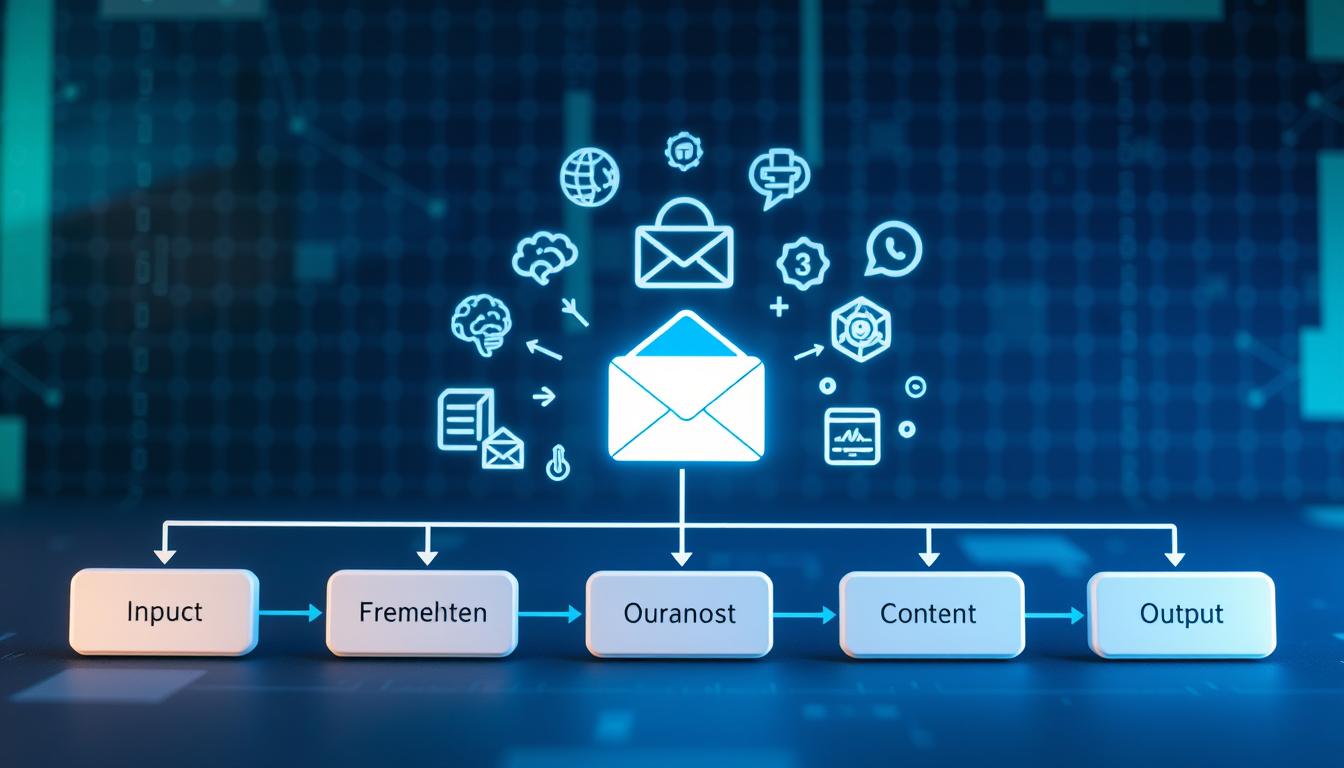
Ever found yourself stuck staring at a blank screen, trying to write an email? An AI email generator is software that turns simple instructions into professional emails in seconds. It helps avoid writer’s block and keeps your emails sounding just right.
This tech uses three key parts to work its magic. First, you give it clear instructions on what you want. Then, it uses data from emails, documents, and customer info. Lastly, it makes sure your emails are private, sound right, and match your brand.
Large language models are the brains behind these tools. They guess what text comes next and create emails that make sense. The system gets what you mean and writes emails that are safe and correct. It checks grammar, finds sensitive info, and makes sure facts are right.
This means you can send emails fast, keep your message consistent, and look professional without spending hours writing.
Key Takeaways
- AI email generators turn simple prompts into complete, professional email drafts using advanced language models
- Three core components drive functionality: user instructions, contextual data from existing sources, and built-in privacy safeguards
- These tools accelerate email composition while maintaining appropriate tone, clarity, and professional structure
- Built-in safety features include grammar checks, sensitive data detection, and factuality filters to ensure accuracy
- Users can specify tone preferences, formatting requirements, and calls-to-action through brief instructions
- The technology differs from basic auto-complete by providing complete, context-aware email generation
Understanding AI Email Generators
Generative artificial intelligence in email writing has changed how businesses talk to each other. These tools are more than simple automation. They understand the context, tone, and purpose of emails. This is key as email is a big part of how we communicate at work.
Email is key in business. It’s where deals start, projects begin, and important decisions are made. But, the number of emails people get every day is huge. This has led to a need for new ways to work more efficiently.
Definition of AI Email Generators
AI email generators are tools that write emails fast using smart algorithms. They’re not just simple templates. They use natural language processing to write like humans. They take what you tell them and turn it into professional emails.
These tools do more than just fill in templates. They help write great subject lines, email bodies, and templates for different situations. Teams use them for follow-up emails, cold outreach, customer service, and marketing.
The tech behind these tools gets the tone right for who you’re emailing and why. Whether it’s a formal proposal or a friendly message, they adjust to fit your needs. This makes them useful in many areas of work.
Importance in Modern Communication
Workers today face a big challenge: over 50 unread emails needing attention every day. This makes it hard to keep up with quality communication while being quick. Email is where requests come in, feedback is given, and teams work together.
AI help is crucial for handling lots of emails without losing quality. These tools help people work faster and keep emails consistent. This saves a lot of time that would be spent writing emails.
“The average professional spends 28% of their workday managing email, making productivity tools that streamline this process critical for business efficiency.”
Marketing teams really benefit from AI email generators for big campaigns. These tools keep the brand voice consistent across many emails. They also make content personal for each recipient. This is key for lead nurturing and other marketing efforts.
AI generators do more than just save time. They let businesses reach out to many people at once. This helps keep in touch with customers, prospects, and partners without needing more staff.
| Feature | Traditional Email Writing | AI Email Generators | Key Advantage |
|---|---|---|---|
| Drafting Speed | 15-30 minutes per email | 30-60 seconds per email | 95% time reduction |
| Personalization Scale | Limited to dozens daily | Thousands daily possible | 100x scaling capacity |
| Consistency | Varies by writer fatigue | Maintained across all messages | Brand voice protection |
| Template Creation | Manual design required | Automated generation | Instant template library |
These tools have become essential for work. They help with communication, team work, and marketing results. Companies that use AI in their emails get ahead by responding faster and keeping customers engaged.
The benefits of AI email generators are clear. They make work easier, reduce stress, and make sure important messages get sent. As email volumes keep growing, these tools are more than helpful. They’re necessary for staying effective at work.
Core Technologies Behind AI Email Generation
The magic of AI email generation comes from three key technologies. They work together to understand and create messages that sound like they were written by a human. These systems use large language models (LLMs), which are trained on billions of words. They can grasp context, tone, and intent with great accuracy.
The process starts with the user giving an input or prompt about what they need to say. Then, the AI uses advanced algorithms to draft a message. In the output and refinement stage, the system creates a draft that users can tweak to their liking.
Natural Language Processing (NLP)
Natural language processing software is the heart of AI email generators. It lets machines understand and create human language by breaking it down into parts. The system spots patterns, gets the tone and purpose, and follows grammar rules to make sense.
When you give a prompt to an AI email tool, NLP algorithms quickly figure out what you need. They look at the tone, who you’re talking to, why you’re writing, and what you want to say. This helps them craft a message that fits your needs perfectly.
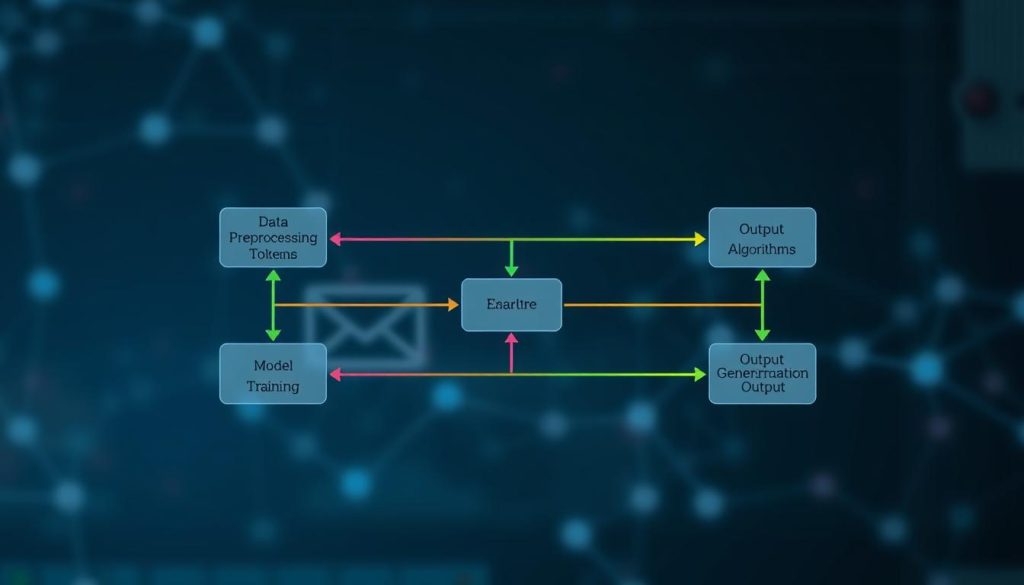
The strength of NLP software is in making responses that are grammatically correct and fitting for the context. It doesn’t just match keywords or fill in templates. Instead, it creates original text that is well-written and flows naturally.
Machine Learning Algorithms
Machine learning for email generation is like a smart prediction engine that gets better with time. It looks at billions of texts to learn about professional communication. It predicts the next word or phrase based on what it’s seen before.
Large language models work by predicting each word or part of a word. They do this based on what they’ve seen in the conversation. This makes messages that feel natural from start to finish.
A key part of this is embeddings. These are ways to represent words and ideas mathematically. They help the AI understand that “CEO” and “chief executive” mean the same thing, or that “excited” and “thrilled” share a similar feeling.
Training these systems focuses on teaching them about different communication styles and business email norms. They learn about specific language, professional email rules, and industry terms. This training helps them create messages that sound professional and not generic.
| Technology Component | Primary Function | Key Capability | Business Impact |
|---|---|---|---|
| Natural Language Processing | Language comprehension and generation | Context and intent recognition | Ensures grammatically correct, relevant messages |
| Machine Learning Models | Pattern recognition and prediction | Token-by-token text generation | Creates natural-sounding, coherent content |
| Data Integration Systems | Information synthesis from multiple sources | Contextual personalization | Delivers highly relevant, customized communications |
Data Integration
AI email generators don’t work alone. They use information from various sources to make messages that are both relevant and personalized. These sources include past emails, CRM systems, customer databases, and more.
This ability to integrate information makes generic drafts into targeted messages. For example, Superhuman’s Instant Reply feature learns your writing style from your emails. Enterprise systems connect to Salesforce data to personalize messages based on account history and recent interactions.
The combination of natural language processing, machine learning, and data integration is what makes AI email generation effective. They work together to create messages that are professional, personalized, and save time. This ensures quality and authenticity in every communication.
Key Features of AI Email Generators
Modern email tools have advanced features that go beyond simple templates. They combine many abilities to meet user needs and business goals. Knowing these features helps choose the right tools and get the most from automated content creation technology.
Today’s AI email systems have integrated features for every step of email creation and optimization. They work together to make workflows smoother and results better.
Personalized Content Creation
Effective AI email communication starts with messages that feel personal, not mass-produced. Advanced platforms use data on past emails and recipient profiles to create highly tailored content that resonates with each audience segment.
Tone control is a key personalization feature. These systems can change their style from professional to casual based on the context and recipient. They analyze past emails to match your voice.
Context awareness is another critical aspect of automated content creation. Leading platforms like Superhuman AI learn from past emails to keep a consistent tone. They use past emails or conversation threads to draft responses that feel natural and contextually appropriate.
Key personalization features include:
- Dynamic content insertion that adapts messaging based on recipient characteristics
- Variable personalization fields beyond simple name tokens
- Adaptive messaging that adjusts based on previous interactions
- Multi-language support for global communication needs
- Template customization with built-in structures for outreach, follow-ups, and reminders
Tools like Instant Reply automatically create draft responses that maintain your communication style. Buzz by Hive offers email digest features, AI-drafted suggested emails, and proposed next steps based on workspace content and conversation history.
Integration capabilities extend personalization power even further. Modern email automation tools connect seamlessly with Gmail, Outlook, Slack, and CRM systems. This connectivity allows the AI to access detailed context about customer relationships, project status, and communication history.
Automated Subject Line Optimization
Subject lines determine whether recipients open your emails, making optimization key for campaign success. AI systems now test and refine subject lines to maximize open rates using sophisticated analytical techniques.
Sentiment analysis gauges the emotional impact of different subject line formulations. The AI evaluates how word choices, punctuation, and phrasing might affect recipient perception and response likelihood. This analysis helps craft subject lines that generate curiosity, urgency, or relevance without appearing manipulative.
Length optimization represents another data-driven approach. AI platforms analyze historical performance data across different devices and email clients to determine ideal character counts. Research shows that subject line effectiveness varies significantly based on mobile versus desktop viewing, and AI accounts for these differences.
Predictive modeling forecasts subject line performance before sending. The system compares proposed subject lines against historical campaign data to estimate likely open rates for specific audience segments. Some platforms automatically generate multiple subject line variants and rank them by predicted effectiveness.
| Optimization Technique | Method | Primary Benefit | Typical Improvement |
|---|---|---|---|
| Sentiment Analysis | Emotional impact evaluation | Better tone alignment | 12-18% open rate increase |
| Length Optimization | Device-specific sizing | Improved visibility | 8-15% open rate increase |
| Personalization Tokens | Dynamic name insertion | Enhanced relevance | 20-25% open rate increase |
| Predictive Modeling | Historical data analysis | Pre-send optimization | 15-22% open rate increase |
Personalization token insertion adds recipient-specific details like names, company information, or behavioral triggers. This customization significantly boosts perceived relevance and open likelihood.
A/B Testing Capabilities
Integrated testing features transform email automation tools from time-saving conveniences into strategic optimization platforms. These capabilities facilitate systematic experimentation that generates actionable insights for continuous improvement.
AI systems automatically generate multiple content variations for testing purposes. Marketers specify which elements to vary—subject lines, calls-to-action, messaging frameworks, personalization strategies, or content lengths. The platform then produces statistically valid test versions.
Automated recipient list splitting ensures proper experimental design. The AI divides audiences into comparable segments that receive different variations. This randomization prevents bias and ensures reliable results.
Performance tracking monitors critical engagement metrics throughout campaigns. Systems measure open rates, click-through rates, conversion rates, and secondary actions like forwards or replies. This data collection reveals which approaches drive desired behaviors.
Statistical analysis identifies winning variations with confidence. The AI applies rigorous statistical tests to determine whether performance differences are meaningful or merely random variation. This prevents premature conclusions based on insufficient data.
The best email marketers don’t guess—they test. A/B testing capabilities built into AI platforms make continuous optimization accessible to organizations of all sizes, not just those with dedicated data science teams.
Real-world applications demonstrate the power of integrated testing. Marketers use these features to systematically improve campaign performance across multiple dimensions simultaneously. The AI learns from each test, applying insights to future campaigns and recommendations.
These key features work together to transform email communication from a manual task into a strategic capability. Organizations that fully leverage personalization, subject line optimization, and testing features consistently achieve higher engagement rates and better business outcomes than those relying on basic automation alone.
Benefits of Using an AI Email Generator
Companies using AI for emails see big wins in productivity and budget. Email marketing AI brings real value across many areas of business. It turns email into a key tool for efficiency and engagement.
Teams save time by not getting bogged down in emails. They can focus on more important tasks. Companies see better results in their emails and talks with customers.
Time Efficiency
Email marketing AI makes writing emails much faster. What took 2-3 minutes now takes just 15-30 seconds. This means big time savings for those who send lots of emails.
Customer service reps and sales teams work better with AI. They can respond faster and keep up with their work without losing quality.

Executives and marketing teams also benefit. They can keep up with their busy schedules and meet tight deadlines.
AI helps by giving a good starting point for emails. It also organizes thoughts for complex messages. This makes writing emails easier and faster.
AI also handles the tricky parts like matching tone and choosing formats. This lets people switch between different emails without getting tired.
Cost Reduction
Using AI for emails saves money in two ways. Teams do more with the same number of people. They don’t need to hire more to handle more emails.
People can use their time for things that make money instead of just emails. Marketing budgets can go to more important things.
Companies can see how much money they save. For example, a team of 20 saving 30 minutes a day saves 10 hours a week. At $50 an hour, that’s $500 a day or $130,000 a year.
This is even more impressive when you think about how it helps the team. They can focus on more important tasks. This leads to more innovation and growth.
Improved Engagement Rates
AI emails often do better than ones written by hand. This is because AI makes smart choices about subject lines and tone. It also makes emails clearer and more personal.
Studies show AI emails get better results:
- AI subject lines get 15-30% more opens
- Personalized content gets 20-40% more clicks
- Best send times boost engagement by 10-25%
- Matching tone reduces unsubscribes by 8-15%
Consistent emails build trust and recognition over time. People get used to the style and know what to expect. This makes future emails even more effective.
AI also makes it easy to test and improve emails. Teams can try different things and see what works best. This helps them make their emails even better over time.
AI email tools are more than just a convenience. They are essential for businesses that want to do better. They help in many ways, from saving time to making more money. This makes them a must-have for any business looking to improve.
Steps Involved in Email Generation
Creating emails with AI is easy and quick. It starts with your input and ends with a draft. This process is simple and works well for everyone.
The whole thing takes just seconds. But, it uses advanced tech to make it happen. You give the direction, machines do the work, and humans check the final result. This teamwork makes sure your emails are clear and real.
Data Input and User Preferences
It all starts when you give the AI what you need. Good prompts are clear and detailed. The more you tell the AI, the better it will understand you.
Platforms like Gmail ask for simple things. But, advanced users can use special patterns to get even better results. The FAST prompt pattern is a great way to improve your emails.
- Facts: Give the AI important details like dates and names
- Audience: Tell who the email is for and what they might need
- Style: Say how formal or casual you want the email to be
- Task: Tell the AI what you want the email to do
A good FAST prompt might be: “Facts: Invoice #103 is late, you reminded them Monday. Audience: Busy SMB owner. Style: Friendly, 90-110 words, 1 CTA. Task: Send a polite reminder with two payment options.”
This way, the AI knows what to write and why. You can also tell it how to format the email. Just make sure to give enough information without overwhelming it.
| Prompt Element | Purpose | Example Input | Impact on Output |
|---|---|---|---|
| Explicit Instructions | Define message purpose and recipient | “Follow-up email to prospective client” | Establishes overall direction and context |
| Contextual Information | Provide relevant background details | “Met at TechCon, discussed Q4 pricing” | Adds personalization and relevance |
| Stylistic Preferences | Set tone and length parameters | “Professional tone, 120 words maximum” | Controls formality and message conciseness |
| Desired Outcome | Specify call-to-action | “Schedule demo call next week” | Guides closing and next steps |
Content Drafting Process
When you submit your prompt, the AI gets to work. It uses advanced algorithms to understand your needs. Natural language processing algorithms parse your prompt to extract requirements and identify key elements that shape the response.
The AI then looks up information from various sources. Tools like Buzz by Hive use workspace content to suggest ideas. Others check email threads and CRM records for personal touches.
Generation happens word by word. The system predicts the next word based on context and your input. This creates sentences that flow well and meet your requirements.
Safety filters run automatically to check for sensitive info or errors. Platforms like Atomic Mail only process unencrypted content for security. These steps protect both sender and recipient.
Then, the system formats the output as you prefer. It adds proper greetings, structures paragraphs, and includes special elements. The result is a draft ready for your review.
This whole process takes 2-5 seconds. It’s fast because the AI uses pre-trained models. These models don’t need to learn language rules from scratch. They apply what they know to your specific situation.
Review and Edit Functionality
AI drafts are just the start. Built-in editing capabilities transform good drafts into great messages by allowing you to add your touch. This is where your expertise shines.
Most platforms offer tone sliders to adjust the email’s feel. You can make it more casual or formal without rewriting. These controls change word choice and sentence structure while keeping the message’s core.
Expand and condense tools help with length. Need more detail? The expansion feature adds to key points. Have a word limit? The condensing tool shortens text while keeping important info. Both save time compared to manual editing.
Regenerate buttons offer different versions of the same prompt. If the first draft isn’t right, ask for variations. Each version offers different phrasing or emphasis while meeting the same requirements.
Manual editing lets you fine-tune the email line by line. You can change specific phrases or add details the AI missed. This combination of automated generation and human editing gives the best results.
Best practices for editing include three key steps:
- Accuracy verification: Check dates, numbers, links, and facts
- Personalization addition: Add details only you know, like shared experiences
- Authenticity enhancement: Add human touches like humor or empathy
Understanding the three-phase workflow helps you get the most from AI email tools. Better prompts lead to better drafts. Knowing what the system can do helps set realistic expectations. Quality control ensures your emails are professional and effective.
This approach balances speed with quality. It automates routine tasks while keeping room for human judgment. This makes email creation faster without losing the personal touch that builds relationships and drives results.
Types of Emails Generated by AI
Email automation tools handle many types of messages with great precision. They adjust their style and content to fit each message type. This helps businesses find the right tool for their needs.
These tools work well in marketing, operations, and customer service. Each email type has its own purpose and needs. AI adjusts its output to meet these needs, making emails more effective.

Marketing Campaign Emails
Marketing teams use AI to create lots of promotional content. This content aims to engage and convert customers. AI makes sure the content has a consistent brand message.
Product launch announcements highlight new products with clear calls-to-action. Tools like Copy.ai use templates to make these messages easy to read. They also make sure the emails look good on mobile devices.
Newsletters are another key area. AI curates content that’s engaging and relevant. It keeps the tone right for each subscriber.
Promotional offers need to balance urgency with value. AI creates messages that are timely and clear. Event invites also focus on getting people to attend.
Nurture sequences are very detailed. Jasper helps marketers create journeys that guide prospects. Each message builds on the last, moving prospects closer to buying.
Key elements for marketing emails include:
- Copy that focuses on benefits and solves problems
- Clear structure with CTAs in the right place
- Consistent brand storytelling
- Designs that work on all devices
- Testing to find the best content
Transactional Emails
Transactional emails need to be precise and clear. They carry important info that customers expect quickly and accurately.
Order confirmations detail purchases and set delivery expectations. AI makes sure these messages have all the necessary info. The tone is celebratory but professional.
Shipping updates give tracking info and clear next steps. AI formats these for quick reading. Password reset emails are clear and easy to follow.
Account updates are clear and reassuring. AI uses language that explains changes well. Billing statements are easy to understand, breaking down costs clearly.
Smartwriter.ai personalizes these messages based on customer history. It adjusts the tone for security, updates, and milestones.
Important things for transactional emails include:
- Following data protection and financial rules
- Providing all needed info clearly
- Keeping a consistent look to help customers recognize official emails
- Sending emails right away after something happens
Customer Support Responses
Service teams use AI to make communication smoother. AI handles questions and follow-ups with understanding.
FAQ answers give consistent, accurate info. Buzz by Hive suggests answers based on the question, helping agents. It uses knowledge bases for detailed but easy-to-understand explanations.
Troubleshooting guides help customers solve problems step by step. AI adjusts the level of detail based on the customer’s knowledge. Escalation messages acknowledge concerns and set clear next steps.
Resolution confirmations show appreciation and invite feedback. They check if the problem is solved and keep the relationship going.
Grammarly Business helps teams sound professional and empathetic. It suggests changes to make messages more helpful and less stressful.
Good support responses include:
- Showing they’ve heard and understand the customer’s problem
- Providing clear, step-by-step instructions
- Using personal touches to make the message feel more tailored
- Offering solutions and extra help
- Being friendly and helpful while being efficient
Quality email automation tools adapt to different message types. Marketing emails aim to engage, transactional emails focus on clarity, and support emails solve problems. This flexibility makes AI useful for many business needs.
Best Practices for Utilizing AI Email Generators
Using AI email generators well means following certain strategies. These strategies help you work faster and send better emails. It’s all about using these tools to their fullest, while also knowing their limits.
Mastering AI writing assistants is more than just knowing how to use them. It’s about finding the right balance between using AI and keeping your messages real. It’s also about always looking to improve and checking how well your emails are doing. Teams that work with AI as a partner, not a replacement, usually do better.
Balancing Automation with Personal Touch
The best emails mix AI’s speed with your own touch. AI can handle the basics, but it’s your personal touches that make a real connection.
Start with specific prompts to guide AI. Instead of saying “write a follow-up email,” say “write a warm follow-up email to a client we met at the Boston tech conference.” This makes the drafts more relevant and easier to edit.
Always check the AI’s work before sending it. Make sure the facts are right and the tone is right for the person you’re emailing. It’s okay to be more formal with new contacts and warmer with people you know well.
Add personal touches that show you really know the person you’re emailing:
- Reference recent conversations or shared experiences
- Mention personal milestones like promotions or company achievements
- Include specific details that AI couldn’t know without context
- Adjust language to reflect relationship depth and history
- Incorporate appropriate humor or storytelling elements
Don’t start with generic phrases like “I hope this email finds you well.” Instead, use something like “I was thinking about your comment during our call last week regarding the Austin market expansion.” These changes make your emails feel more real.
Don’t just accept the first draft. Ask for changes if it’s not right. Many platforms learn from your feedback, so telling them to “make this more concise” or “adjust the tone” helps improve future drafts. Think of AI as a co-writer that speeds up your work, while you add the personal touches that make it special.
Regular Updates and Feedback
AI email generators get better with regular use. By giving feedback, you help these tools learn to match your style better over time.
Save successful outputs as templates when AI does a great job. This creates a library of good examples to use in the future. Most platforms let you mark your favorite responses, helping them learn your preferences.
Make feedback a regular part of your routine:
- Weekly review of generated emails to identify patterns needing adjustment
- Monthly updates to your prompt library capturing new effective approaches
- Quarterly assessment of how well outputs align with evolving brand voice standards
- Documentation of which prompt patterns yield best results for specific communication types
Many platforms use team feedback to improve shared templates. Tools like Superhuman learn from how you use them, adapting to your writing style. The more you use these systems, the better they get at meeting your needs.
Experiment with prompt phrasing to find what works best for different situations. Try different approaches to avoid repetitive emails. If AI starts to repeat itself too much, change how you ask it to write.
Always give clear instructions when asking for new drafts. Instead of just saying “write another version,” tell AI what you want to see changed. This helps it learn faster.
Monitoring Performance Metrics
Measuring how well AI emails work means tracking both numbers and how people feel about them. This helps you see where AI is most helpful and where you need to add a human touch.
Set up baseline metrics before you start using AI. This lets you see how much better things get. Key things to track include:
| Metric Category | Specific Indicators | Target Improvement |
|---|---|---|
| Engagement | Open rates, click-through rates, response rates | 15-25% increase |
| Efficiency | Time saved per email, volume capacity, drafting speed | 40-60% reduction in time |
| Conversion | Meeting bookings, sales conversions, goal completions | 10-20% improvement |
| Quality | Bounce rates, unsubscribe rates, spam complaints | Maintain or reduce |
Look at your numbers by email type to see where AI helps most. Marketing emails might show different results than customer support or transactional emails. This helps you use AI better for each type of email.
Track qualitative signals too, like what people say about your emails. Look at how well your emails match your audience’s expectations. This shows if AI is keeping your emails real and relatable.
Make your performance easy to see for everyone. Regular reports help everyone see how you’re improving and why you’re using these tools. Look for trends over time, not just how each email does.
Focus on the metrics that matter most to your goals. Whether it’s building relationships, making sales, or providing quick support, use data to guide your improvements. Always keep your emails personal and real.
Common Challenges and Limitations
No technology is perfect, and AI email tools have their own set of challenges. They help a lot with productivity but also bring obstacles. Knowing these challenges helps organizations use AI wisely and avoid common mistakes.
Three main challenges stand out: keeping emails authentic, avoiding template traps, and protecting privacy. Each challenge needs a different approach to ensure AI improves communication quality.
Maintaining Authenticity
AI emails can sometimes feel too robotic or impersonal. This is because they lack the human touch.
People can tell when an email is written by AI. They notice repetitive phrases and lack of personal touches. This makes the email seem fake.
AI emails can also have the wrong tone. They might not match the sender’s usual voice. This can make the email feel off.
The danger of automation is not that machines will begin to think like humans, but that humans will begin to think like machines.
To keep emails authentic, set guidelines for personal voice. Use real-life stories and examples in prompts. Also, have humans review important emails before sending them.
Make sure to check emails for AI patterns before sending them. This helps improve the quality of AI-generated emails over time.
Some emails, like condolences or conflict resolution, should be written by humans. AI can’t match the emotional depth needed for these messages.

Overcoming Template Dependence
Using AI too much can make emails sound the same. This lack of variety can make communication less effective.
It’s important to review AI-generated emails carefully. Not doing so can lead to a lack of writing skills in the team. It also means missing out on new ideas in communication.
When everyone uses the same AI tools, it’s hard to stand out. Emails become too similar, making it hard to grab attention.
To solve this, use AI as a starting point, not the final product. Make sure emails vary and have humans write important messages. This way, AI helps with routine tasks without losing the personal touch.
Try different AI tools and strategies to avoid repetition. Encourage team members to add their own touch to AI suggestions. This keeps the communication fresh and engaging.
Handling User Privacy Concerns
Data security is a big challenge with AI email tools. It’s important to understand how data can be exposed. This helps choose the right tools and use them safely.
There are many ways data can be exposed. AI tools might share data with other systems. Browser extensions and telemetry systems can also collect data. Cloud storage makes data more vulnerable.
Some information, like client details or financial data, needs extra protection. This includes business strategies and unannounced plans.
Before using AI email tools, ask important privacy questions. Find out if your prompts train AI models. Can you opt out? How long is your data kept?
Check if data is encrypted properly. Know who can access your content and why. Make sure the privacy policy is clear and specific.
| Privacy Red Flag | What It Means | Your Action |
|---|---|---|
| Training enabled by default | Your prompts become model training data | Opt out or choose different provider |
| Indefinite prompt retention | Content stored permanently on provider servers | Avoid for confidential communications |
| Vague encryption policies | Data may be accessible to unauthorized parties | Request specific encryption standards |
| Unaudited staff access | Provider employees can view your content | Require access logs and audit trails |
To reduce privacy risks, clean up your prompts. Remove personal details and only share necessary information. This way, you minimize the data exposed.
Don’t paste entire documents into prompts. Set rules for what content can go into AI tools. This keeps your data safe.
Choose privacy-first tools like Atomic Mail for safer communication. Manually remove sensitive information before AI processing. This adds an extra layer of protection.
While these challenges are real, they can be managed. By choosing the right tools, setting clear policies, and keeping human oversight, AI can be a powerful tool. It just needs careful management.
Future Trends in AI Email Generation
Generative artificial intelligence is changing how we send emails. It’s moving from simple automation to understanding human context and relationships. This change will make emails smarter and more personal.
Soon, businesses will interact with customers in new ways through email. Companies that get these changes will use them well. The future of email will blend machine efficiency with human understanding.
Increased Personalization
Next-generation email systems will offer individual-level customization. They’ll use your whole communication history. This means messages will be more relevant and personal.
These systems also adapt to how you interact with emails. They know when to send messages and what format to use. They even know if you prefer detailed info or a quick summary.
AI will also consider your personality in emails. It will adjust the tone and style based on your past interactions. This makes messages feel more natural and personal.
Contextual awareness is another key feature. Modern systems will consider current events and your situation. They’ll adjust messages to fit your current needs.
Predictive personalization is the next step. Systems will anticipate your needs based on your journey and behavior. They’ll even answer questions before you ask them.
Technical advances include:
- Expanded context windows that process more historical data when generating responses
- Multi-modal data integration combining text, behavioral analytics, and social signals
- Reinforcement learning systems that continuously refine personalization based on outcomes
- Real-time adaptation engines that adjust content during composition based on latest information
An example is an AI adjusting message complexity based on your past questions. It offers different value propositions based on your priorities. This precision leads to higher engagement.
Integrating AI with CRM Software
AI and CRM systems will work together seamlessly. AI tools will access your account history and contact information without manual lookup. This integration saves time and reduces errors.
Bi-directional data synchronization is a big step forward. Email interactions will update CRM records automatically. CRM changes will trigger emails without manual effort. This creates a continuous loop of information.
Unified interfaces will embed email generation in CRM workflows. Sales reps can write messages without leaving their main work area. The system will automatically fill in relevant context based on the current account view.
Automated workflow triggers will respond to changes in your pipeline stage. When an opportunity advances, the system will send the right follow-up messages. It will even suggest messages for milestones and check-ins.
Analytics feedback loops will improve both systems. Email performance data will inform CRM scoring and segmentation. Low engagement rates will trigger account reviews. High response rates will identify promising prospects.
Sales reps will benefit from this integration. Clicking a CRM opportunity will generate an email that references your current situation. The message will suggest next steps based on your pipeline stage. All this happens without manually gathering information from multiple sources.
Advancements in Sentiment Analysis
NLP software will get better at detecting emotions in emails. It will recognize frustration, confusion, enthusiasm, or concern. The response tone will adjust to match the detected emotion.
Empathy matching will adjust the intensity of supportive language. Minor issues will get polite acknowledgment, while serious problems will get more substantial apologies and offers to fix the issue. This approach feels more genuine than generic templates.
Conflict de-escalation features will automatically soften the tone of responses during heated conversations. The system will flag messages for human review when emotions are high. This prevents automated responses from making things worse.
Celebration recognition will identify positive milestones and achievements in customer communications. The system will generate congratulatory responses that strengthen relationships. It will recognize successful implementations, anniversaries, and expansion announcements. These acknowledgments build goodwill beyond transactional exchanges.
Cultural sensitivity will adapt communication styles to respect diverse norms. Systems trained on international business communications will know when to emphasize relationship-building versus efficiency. They will adjust greetings and closings based on cultural context.
Technical foundations include:
- Fine-tuned sentiment models trained on business communications
- Multi-dimensional emotion detection recognizing complex states like cautious optimism
- Real-time sentiment tracking across conversation threads to detect emotional trajectories
- Cultural database integration that informs appropriate communication adjustments
An AI system might recognize your growing frustration in the third follow-up email. It will escalate response priority and suggest more empathetic language. This approach goes beyond standard templates to address the emotional aspect of the interaction.
| Capability Area | Current AI Email Systems | Future AI Email Systems | Business Impact |
|---|---|---|---|
| Personalization Depth | Basic demographic segmentation and merge tags | Individual behavioral profiling with predictive content adaptation | 45-60% higher engagement rates through relevance |
| CRM Integration | Manual data import and periodic sync | Real-time bi-directional automation with embedded workflows | 70% reduction in composition time per message |
| Sentiment Understanding | Basic positive/negative classification | Multi-dimensional emotion detection with cultural awareness | 35% improvement in customer satisfaction scores |
| Context Processing | Limited to current conversation thread | Full relationship history with external event awareness | 50% decrease in redundant communications |
These trends show AI email systems will become sophisticated communication advisors. They will understand context, relationships, and human psychology better. AI will enhance human judgment in building meaningful business relationships.
Organizations should prepare for these changes by focusing on data quality and integration. Clean CRM data and complete communication histories are key. Establishing feedback mechanisms ensures systems learn and improve continuously.
The future is about combining machine speed with human empathy and creativity. AI will handle routine tasks and data synthesis, while humans focus on strategic relationship management. This partnership will bring efficiency and authenticity to email communication.
Conclusion: The Future of AI in Email Communication
Business communication is at a turning point. Email marketing AI and automated content tools are now key. They offer quick responses, solve writer’s block, and keep a consistent tone.
Summary of Key Takeaways
AI email generators use natural language processing and machine learning. They analyze data and create messages in seconds. This technology is great for overcoming writer’s block and adding speed to writing.
Privacy is a big deal. The best way to start is with a private AI email generator in an encrypted inbox. Tools like Atomic Mail keep data safe by not sharing it with others. This way, they avoid using third-party tools and keep user prompts private.
Using these tools as co-writers is key. Human touch and editing make messages more impactful. Built-in solutions mean less risk and fewer parts to manage.
Final Thoughts on Embracing AI Technologies
Companies that get good at email marketing AI will talk faster and clearer than others. This edge grows over time, improving customer and team performance.
Begin with specific tasks like customer support or sales follow-ups. Users should choose privacy-focused platforms. Teams need clear rules and training before using these tools widely.
The future of business communication blends human creativity with AI’s efficiency. This mix makes professionals better at their jobs. Automated content creation handles the routine, freeing humans to build relationships. This future is available now for those willing to adapt.


