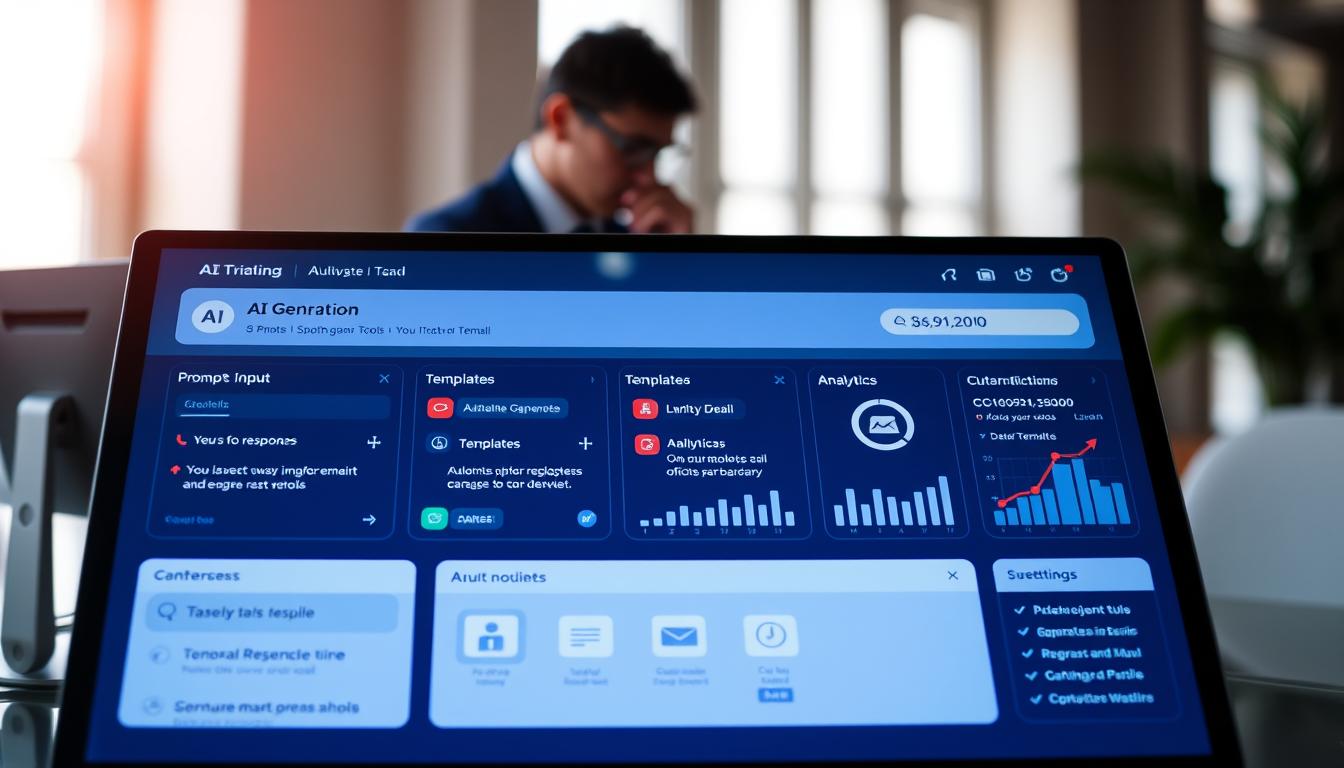
Imagine writing professional emails in seconds with just a few text commands. This idea is at the center of debates about making work more efficient. Artificial intelligence email generation tools are changing how companies communicate every day.
There’s a fascinating twist to this technology. Gartner found that 64% of customers don’t like automated customer service. They fear getting wrong information and missing personal touches. But, the results from real-world use are different.
In 2024, a test showed something interesting. Automated messages got a 9.44% click-through rate, beating the 8.46% from emails written by hand. Tools like Latenode’s Copilot feature show even better results. Users say they get about 95% accuracy and save 2 hours a day on customer replies and updating spreadsheets.
These tools take simple text commands and turn them into polished emails. They need to be used wisely, not blindly. Knowing when to use automation and when to add a personal touch is key to success.
Key Takeaways
- Automated messaging systems achieve 9.44% click-through rates versus 8.46% for manual writing, demonstrating measurable performance advantages
- Despite effectiveness, 64% of customers express concerns about companies using automation for service interactions due to personalization worries
- Real-world implementations like Latenode’s Copilot feature deliver 95% accuracy rates in processing correspondence
- Users save approximately 2 hours daily by automating routine correspondence tasks and data extraction processes
- Success with automated messaging requires strategic implementation and understanding when human involvement remains necessary
- Simple text commands can transform into professional business correspondence within seconds using modern tools
Introduction to AI-Generated Emails
Emails are now made by machines that understand what we say. They can create professional messages in seconds. This is a big change from old email templates that needed manual setup.
This new way of making emails is called prompt-based email writing. Users just tell the AI what they need, and it makes a draft. Systems like ChatGPT and Gemini can do this by learning from lots of text.
What Are AI-Generated Emails?
AI-generated emails are made by AI systems based on what users tell them. These systems can make everything from simple messages to detailed proposals. They understand the context and who they’re sending to.
The range of automated email creation is huge. AI can send simple messages or complex campaigns. It can change the tone and content based on who it’s sending to.
AI email systems are special because they get the context. They look at past messages and adjust the formality. This is different from old ways that didn’t consider the recipient.
Overview of AI Prompt Technology
Users talk to AI email generators with simple language prompts. For example, a business person might say “Extract product codes and quantities from Gmail inquiries and update Google Sheets inventory.” The AI then makes a workflow to do this automatically.
The quality of the prompt affects the AI’s work. A clear prompt gets better results. This shows how important it is to be specific when using AI email generation.
This technology is used in many ways. Customer service teams can automate their work with simple prompts. Marketing teams can create campaigns by telling the AI what to do.
As AI learns from us, it gets better. What starts as a simple prompt can become a full email system. Users keep improving their prompts, and the AI adapts to their needs.
Understanding prompt technology means knowing that specificity drives success. The more detail you give, the better the AI will do. This includes the tone, who it’s for, and what you want to happen.
The Mechanism Behind AI Email Generation
AI-generated emails use complex algorithms and data processing. These systems turn simple text prompts into polished messages. This is why AI writing assistants are great at handling complex communication tasks.
Two main technologies are at work. Computers must understand human language and learn from experience. This makes them better over time.
Understanding How Computers Read and Write
Natural language processing is key for computers to understand and create human communication. It breaks down text into parts that machines can analyze. Think of it as teaching a computer to read between the lines, not just words.
The process starts with tokenization. The system divides email content into smaller units. These tokens can be words, phrases, or punctuation marks.
Semantic analysis is the next step. Here, AI writing assistants figure out the actual meaning behind words. For example, “Order #ABC123” and “order number ABC-123” mean the same thing.
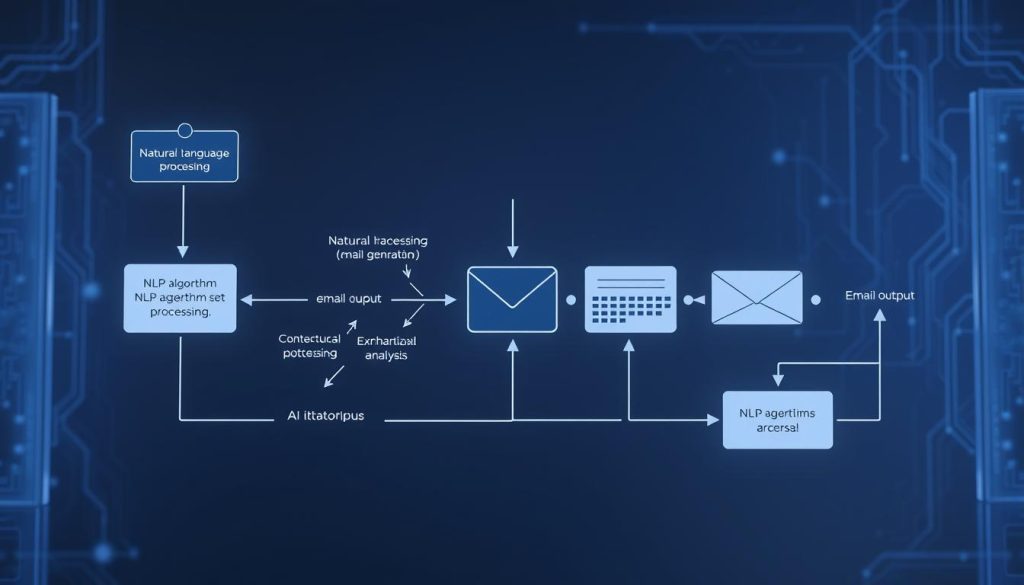
Context understanding is also important. An email about “late delivery” is different from one asking “delivery status.” The AI looks at surrounding words and sentence structure to understand the message.
Pattern recognition helps the AI identify data elements consistently. Even if customers format information differently, the system extracts the right details. For example, “my email is john@example.com” and “contact me at: john@example.com” are both recognized as email addresses.
- Tokenization separates text into analyzable components
- Semantic analysis determines meaning beyond literal words
- Context evaluation considers the full message environment
- Pattern recognition identifies key data regardless of formatting
How AI Systems Learn and Improve
Machine learning techniques help email generation systems get better with time. Unlike traditional software, these systems learn from examples and feedback. This makes them more effective over time.
Supervised learning is the first step. Developers teach the AI with labeled examples. The AI studies thousands of email pairs to learn effective communication patterns.
Advanced platforms use reinforcement learning to keep improving. Gmelius updates their models weekly with new data. Each interaction helps the system adapt to changing communication styles.
This ongoing learning process is key. Business communication changes a lot. Weekly updates help the AI stay current.
Companies can train systems on specific data. This includes internal communications and industry-specific content. A healthcare provider’s AI learns medical terms, while a tech company’s system masters product specs.
| Learning Technique | Function | Update Frequency | Primary Benefit |
|---|---|---|---|
| Supervised Learning | Initial training from labeled examples | During setup phase | Establishes baseline accuracy |
| Reinforcement Learning | Continuous improvement from feedback | Weekly or real-time | Adapts to changing patterns |
| Transfer Learning | Applies knowledge across domains | As needed for new contexts | Reduces training time |
| Neural Networks | Processes complex language patterns | Continuous optimization | Handles nuanced communication |
The best AI email systems use many machine learning techniques. This multi-technique approach creates strong solutions for different communication scenarios. A customer service system might use supervised learning for common questions, reinforcement learning for response optimization, and neural networks for tone matching.
Transfer learning helps systems apply knowledge in new situations. An AI trained on general customer service can quickly adapt to technical support. This speeds up deployment and reduces data needs for new implementations.
Natural language processing and machine learning work together. They enable computers to understand and create human communication. This combination creates systems that understand context, maintain consistency, and improve over time.
Advantages of Using AI to Generate Emails
AI-powered email solutions bring big changes to how businesses manage emails. They help companies across different fields. These changes make it clear why using AI for emails is a smart move.
AI helps cut costs and improve customer happiness. It solves long-standing email management problems. Knowing these benefits helps businesses decide to use AI.
Rapid Response Through Automated Processing
People using AI for emails save about 2 hours daily. This is a big win for those overwhelmed by emails. It makes work faster and more efficient.
One company used to handle 50 emails a day manually. Now, AI does it automatically. This saves time for more important tasks.
Another company got 50 support emails a day. AI quickly sorted out the details. This made their support work much faster.
AI doesn’t just save time on writing. It also cuts down on boring tasks. This means people can focus on more complex issues.
Tailored Messages That Reflect Individual Needs
AI emails don’t have to be boring or generic. Advanced systems learn from company data to make emails feel personal. This makes messages seem like they were written just for each person.
These systems get better with time, learning how to write like the company. They match human emails so well, people often can’t tell they’re automated.
AI uses customer history and past conversations to make messages relevant. It knows what each customer has asked before. This makes emails feel more personal.
AI also changes how it writes emails based on who they’re for and why. Marketing emails are persuasive, while support emails are clear and helpful. This flexibility makes AI emails effective for different needs.
Unified Voice Across All Communications
Using email automation with artificial intelligence keeps all messages consistent. This ensures every email sounds like it comes from the same place. It builds trust with customers.
AI makes sure all emails sound the same, no matter who writes them. This means customers always get the same quality, no matter what.
AI keeps messages in line with the company’s current image and marketing. It updates information quickly. This means customers always get the latest info.
Key benefits include:
- Standardized terminology across all customer touchpoints ensuring clear understanding
- Uniform tone that reinforces brand personality whether messages come from sales, support, or marketing
- Accurate information updated centrally and reflected in all automated communications immediately
- Compliance adherence with legal and regulatory requirements built into every message template
- Quality assurance that eliminates typos, grammatical errors, and formatting inconsistencies
AI acts as a safety net, keeping the brand’s image intact. It ensures professionalism, even when it’s hard to review everything manually. This is true even when there are lots of emails or staff changes.
Limitations of AI Email Generation
AI technology is great for making emails, but it has its limits. It struggles with parts of communication that humans do easily. Knowing these limits helps companies set the right expectations when using AI email templates.
AI tools are not useless, but they need human help to work well. Knowing where they fall short helps businesses use them better.
Challenges with Context Understanding
AI systems have a hard time with emails that are not structured well. When important details are hidden in long paragraphs, it’s hard for AI to find them. AI is good at finding patterns but doesn’t really understand human situations.
AI tools often miss the specific knowledge that experts have. Without the right training, they can’t understand the details of certain industries or groups. One user said their AI had trouble with emails that were not well-organized.
AI also struggles with emails that use unclear language or cultural references. AI can’t pick up on subtle cues that humans understand easily. It might not get complex relationships or know when to handle information carefully.
Custom rules are often needed for special cases. Companies must train their AI email templates to handle their unique email formats. AI can’t guess every possible email structure without help.
| Limitation Type | Specific Challenge | Impact on Email Quality | Required Solution |
|---|---|---|---|
| Information Extraction | Buried details in unstructured paragraphs | Missing critical data points | Custom extraction rules |
| Domain Knowledge | Lack of industry-specific terminology | Generic, irrelevant responses | Specialized training datasets |
| Contextual Awareness | Misinterpretation of nuanced situations | Inappropriate tone or content | Human review and editing |
| Cultural Understanding | Missing references and local conventions | Communication mismatches | Regional customization |
Potential Issues with Tone and Voice
AI emails often sound too formal and lack warmth. This makes them seem less personal than emails from humans. Good business emails should feel more connected.
Signs that AI wrote an email include too many bullet points and long sentences. Misused emojis can also make emails awkward.
AI emails also lack personality. They use generic greetings and repetitive phrases. This makes the emails seem less real.
Business jargon is often used without context. AI overuses buzzwords, making emails sound professional but empty. This makes the content seem shallow.
Several traits mark AI-generated emails:
- Excessive formality that creates unnecessary distance between sender and recipient
- Complete absence of humor or lighthearted elements that humanize communication
- Repetitive sentence structures that become predictable and monotonous
- Overuse of transition phrases without meaningful content connections
- Inappropriate formatting choices including excessive bolding or italicization
- Perfectly structured content that lacks natural imperfections of human writing
- Generic statements that could apply to any situation, not specific contexts
The “too perfect” quality makes AI content seem less effective. Human writing has small variations that feel real. When every sentence is perfect, it feels artificial.
AI is not a total failure for email generation. It just needs human touch to work best. Companies that mix AI with human editing get the best results from their AI email templates.
Knowing these challenges helps businesses set up better workflows. They can use AI for first drafts and then check them with humans. This way, they get the most out of AI while avoiding its weaknesses.
Real-World Applications of AI Email Generation
AI email generation helps businesses in many ways. Marketing and customer service teams see big improvements. They get more done, faster, and with better results.
Companies send out thousands of emails every day. AI makes this task easier. It saves time and makes emails better.
Use Cases in Marketing Campaigns
Marketing teams use AI to send out personalized emails to lots of people. A 2024 study showed AI emails got a 9.44% click-through rate. That’s better than emails written by hand.
AI also helps with email subject lines. It uses past data to make them better. This way, more people open the emails.
AI helps send emails that are just right for each person. A store might send emails with special deals based on what you’ve looked at. It feels like the email is just for you, but it’s fast.
AI doesn’t replace the creative marketer—it amplifies their reach, allowing one person to execute campaigns that previously required an entire team.
AI and humans work together well. Humans give the big ideas and emotional touch. AI takes care of making lots of emails.
Customer Support and Service Automation
Customer support teams use AI to help a lot. They handle 50+ emails a day. AI finds important info like order numbers and contact details.
AI is good at finding patterns. It can spot order numbers even if they’re written differently. It’s right about 95% of the time.
Support teams save about 2 hours a day thanks to AI. AI sorts emails into different categories. This means the right person can help without needing to read every email.
| Support Function | Manual Processing Time | AI Processing Time | Accuracy Rate |
|---|---|---|---|
| Ticket categorization | 3-5 minutes per email | 5-10 seconds per email | 95% |
| Order number extraction | 2-3 minutes per email | 3-5 seconds per email | 97% |
| Customer data logging | 4-6 minutes per email | 8-12 seconds per email | 93% |
| Issue description summary | 5-7 minutes per email | 10-15 seconds per email | 92% |
AI logs support tickets into tracking platforms. It makes records from customer messages. This saves time and keeps things organized.
Support agents can now focus on solving problems and building relationships. Customers get faster help and more accurate answers.
Corporate Communication Strategies
AI helps with internal communications. It makes sure messages are the same everywhere. HR and IT send out standard emails about policies and updates.
AI handles routine emails. This lets communicators work on important messages. They can focus on big ideas and feelings.
AI lets corporate communicators do their best work. They handle big messages and sensitive topics. AI takes care of the everyday emails.
One company used AI for quarterly reports. It made personalized summaries for 500+ employees. This used to take three days, now it takes 45 minutes.
AI solves real problems in marketing, support, and internal communications. Businesses see better results and save time. This shows AI is worth it.
How to Effectively Use AI for Email Generation
To use AI for email generation well, you need a good plan for both what you input and what you expect as output. The quality of your emails can make a big difference. This depends on how clear your instructions are and how well you check the final emails.
Many groups struggle with AI email tools because they see them as simple templates. But, to write good emails with AI, you need to think carefully and pay attention to details. Learning the right ways to use AI can lead to better emails and save time.
Tips for Crafting Effective Prompts
The key to great AI email generation is making detailed, specific prompts. Vague prompts lead to generic emails, while clear ones give you targeted content. Think of your prompt as a detailed guide that leaves no room for confusion.
First, decide what information you want the AI to find or include. For example, instead of saying “get customer details from emails,” be specific: “Watch [email protected] for new emails. Look for ticket numbers, customer names, and issue descriptions. Then, update Google Sheets with the matching ticket numbers or add new rows if needed.”
This clear approach boosts accuracy. The AI knows exactly what to look for, how it looks, and where it should go.

Also, give examples of the email formats you usually see. Say something like “Emails often have text like ‘Order #ABC123’ and ‘Issue: Product not working’.” These examples help the AI recognize patterns, even when the formatting is a bit different.
Being specific about patterns makes your prompts even better. When you describe formats like “order numbers following pattern ORD-####” or “dates in MM/DD/YYYY format,” the AI can find these elements more accurately. Also, knowing where information usually appears helps the AI get it right more often.
Here’s a structured template for your prompts:
- Data Source: Tell which email account or inbox to check
- Information to Extract: List exact data points with examples
- Transformation Logic: Explain any rules for sorting or processing
- Destination: Say where the data should go
- Example Text: Give examples of typical email phrases
One important tip: don’t use the same prompts over and over. Doing so makes your emails sound too similar and robotic. Instead, change small things like customer details, greetings, or situations in each prompt. This makes the AI’s emails sound more natural.
| Prompt Element | Impact on Output Quality | Example Application |
|---|---|---|
| Specific Data Points | Increases extraction accuracy by 40-60% | “Extract order numbers formatted as ORD-12345” |
| Format Examples | Reduces misidentification errors by 50% | “Dates appear as MM/DD/YYYY or DD-MM-YYYY” |
| Contextual Location | Improves parsing speed by 35% | “Issue description typically follows ‘Problem:’ label” |
| Categorization Rules | Enhances organization by 70% | “Classify issues as technical, billing, or shipping” |
| Varied Language | Creates 80% more natural tone | Different greetings and sign-offs per customer segment |
Best Practices for Reviewing AI-Generated Emails
Even the best AI systems need a human check to ensure quality and fit. Having a systematic review process helps avoid mistakes and keeps your brand’s image intact. Think of AI as a very capable helper that needs guidance.
Start by looking out for signs of AI writing, like too formal tone, formulaic greetings, too many bullet points, and empty placeholders. Fixing these issues makes your emails sound more real.
Make a checklist for reviewing every AI email:
- Verify Personalization: Check that all names, companies, and details are correct
- Check Contextual Appropriateness: Make sure the message fits the situation and relationship
- Adjust Tone: Match your brand’s voice, whether it’s casual, professional, or friendly
- Add Human Touches: Include humor, empathy, or personality where it fits
- Replace Placeholders: Get rid of all bracketed text or generic phrases
Be careful with tone consistency. AI often defaults to a neutral, slightly formal tone that might not match your brand. If your company is warm and funny, edit the AI’s output to match. If you’re very professional, remove any casual elements.
Also, check if sentences flow well and make sense together. AI can create grammatically correct content that’s hard to follow. Adding connecting words or reordering sentences can make it easier to read.
Always check if claims, statistics, or promises are true and allowed. AI might confidently state things that aren’t current or don’t apply to your situation. Double-check any factual statements before sending.
Consider having two people review important emails. One person checks for technical accuracy, and the other focuses on tone and brand fit. This way, you catch more issues than with one review.
Lastly, keep giving feedback to your AI system. When you correct certain errors, update your prompts to avoid them. This continuous improvement makes your emails better over time.
Popular AI Tools for Email Generation
Today, businesses have many AI email tools to choose from. Some are made just for email tasks, while others can do basic writing. Knowing what each tool can do helps companies pick the right one for their needs.
Choosing the right tool depends on several things. These include how many emails are sent out each day, what integrations are needed, and if special language is required.
Leading Platforms for Email Automation
Some AI tools are leaders in solving business problems. Latenode is one, with its AI Copilot that turns simple commands into full email systems. Users can set up complex workflows with just a few words.
Latenode makes setting up easy. It sets up email monitoring and develops algorithms for different email types. It also checks data before updating spreadsheets. Companies using Latenode see big improvements, with systems handling over 50 emails a day.
These systems get about 95% accurate after a little tweaking. They understand language and context well, needing little human help. They keep getting better over time.
Gmelius works differently, focusing on training for each company. It creates AI agents that learn from real business emails, not just generic ones. This helps the AI grasp industry terms and company-specific details that others might miss.
Gmelius learns from many sources. It looks at company websites, help centers, and past emails. This way, it gets to know the specific knowledge needed for good answers.
Weekly learning cycles are a big plus for Gmelius. It keeps getting better by looking at new emails and adjusting its answers. It also knows when to leave notes instead of guessing, avoiding mistakes.
Gmelius can tell when an email needs a quick reply and when it doesn’t. If it’s unsure, it leaves notes instead of making something up. This keeps messages clear and accurate.
Tools like ChatGPT and Gemini are good for writing emails from prompts. They can write in different styles. But they can’t do the detailed workflow and email monitoring that specialized tools offer.
Feature and Pricing Comparison
When picking AI email tools, look at what they can do for your business. Here’s a comparison to help you decide.
| Feature Category | Latenode | Gmelius | General AI Tools |
|---|---|---|---|
| Workflow Automation | Full automation with natural language setup and multi-step processing chains | Email-specific automation with intelligent routing and categorization | Manual prompt-based generation without automated workflows |
| Training Approach | Pattern recognition across formats with continuous learning from user interactions | Company-specific training with weekly reinforcement from inbox data | Pre-trained models requiring detailed prompts for each generation |
| Integration Options | CRM systems, spreadsheets, databases with API connections | Email platforms, shared inboxes, collaboration tools | Limited direct integrations, mainly copy-paste workflows |
| Context Awareness | Format pattern recognition with data validation protocols | Advanced context detection with explanatory notes when information is insufficient | Context limited to individual prompt information |
| Pricing Model | Usage-based pricing scaling with workflow complexity and volume | Per-user subscription with tiered plans based on features and inbox volume | Subscription or pay-per-use models independent of email-specific features |
Pricing varies a lot among these tools. Specialized tools charge based on emails or users. This matches costs with what you use and value.
General AI tools work differently. They do more than just email, making direct price comparisons hard. You need to think if you want a tool just for emails or something for all content.
The cost also depends on how complex it is to set up. Tools with advanced features and integrations might cost more but save you time. Companies sending lots of emails often find specialized tools worth the extra cost.
Success Stories: Companies Using AI for Emails
Companies have found success with automated email creation by tackling challenges head-on. Real businesses have used AI to manage their email needs effectively. These stories offer practical advice on what works and what doesn’t.
Here are examples from various industries. Each story shares the problems faced and the solutions found. These are real experiences from companies handling thousands of emails each month.
A Tech Company Transforms Customer Support Operations
A tech company’s customer service was slow due to manual support ticket logging. This task took up hours that could have been used to help customers.
They introduced an automated email creation system to extract key data from emails. The system focused on customer names, order numbers, and issue descriptions. Setting it up was easy, and it quickly learned to recognize patterns.
But, it faced challenges. It worked well with names and order numbers but struggled with issue descriptions. Customers wrote about their problems in many ways, without a consistent format.

The team improved the system by creating custom extraction rules. They gave the AI examples of how customers might write about their issues. This helped the AI understand different writing styles.
The improvements were significant. The system got better at recognizing different ways customers wrote about their problems. Key improvements included:
- Adaptive pattern matching that recognized order numbers despite different customer formatting styles
- Context-aware extraction that identified issue descriptions even when scattered across multiple paragraphs
- Custom rule sets specific to their email formats and customer communication patterns
- Continuous learning from manual corrections that improved accuracy over six weeks of operation
Implementing the system took time and adjustments. Over six weeks, the team fine-tuned their prompts and rules. The result was a system that accurately processed emails without human help.
E-commerce Company Streamlines Inventory Management
An e-commerce company faced a different challenge. They received about 50 customer inquiry emails daily. Each email needed to be entered into spreadsheets manually.
This task took two hours every business day. It was repetitive and prone to errors. Mistakes could lead to unhappy customers.
The company used an AI email automation solution for inventory data. It connected to their inbox and automatically processed emails. It updated their spreadsheets in real-time.
The results were better than expected. After three weeks, the system was 95% accurate. This meant only 2-3 emails needed human review each day.
The saved time was valuable. The team could now focus on strategic tasks. They analyzed trends, optimized stock, and improved supplier relationships.
The system showed impressive pattern recognition. It learned to handle various customer request formats:
- Product code variations including spaces, dashes, or no separators between alphanumeric characters
- Quantity expressions written as numbers, words, or combinations like “three dozen” or “3 dz”
- Contact information presented in email signatures, headers, or embedded within message text
- Multi-product requests where single emails contained multiple items with different quantities
The company made minor adjustments for their specific needs. They created custom rules for specialty products and bulk orders.
Both stories show that AI email automation needs effort and refinement. Companies achieved success by understanding AI’s limits and developing targeted solutions. The key was treating implementation as an ongoing process.
These examples prove AI email automation can bring real benefits. It saves time, reduces errors, and lets teams focus on important tasks. The technology works best when companies invest in training and adjusting rules based on performance data.
The Future of AI in Email Communication
AI-powered email systems are getting smarter, balancing automation with a human touch. The next AI writing assistants will change how businesses email customers. They will make emails more personal and scalable, solving a long-standing problem for marketers.
AI is moving from simple text to real communication. Businesses that use these new tools will get ahead. But, they must also meet customer needs for real interactions.
Emerging Trends in AI Technology
AI systems are becoming more dynamic, learning from new data every week. This lets them keep up with language and business trends. It’s a big change from old software that only gets updated manually.
AI can now tell when it needs more information to respond. Systems like Gmelius know when they’re missing context. This shows how AI is getting better at understanding emails.
AI is getting smarter about emails, looking at text, images, and more. This lets it understand messages better than before. It can give more thoughtful responses.
Training AI is changing too. It’s using company data and learning from it. This makes AI systems understand a company’s voice and context better.
AI can now handle different situations better. It doesn’t need humans to fix every problem. This makes AI more useful and reliable.
Predictions for Email Marketing
Email marketing is getting more personal. AI will analyze what each customer likes and respond in a unique way. This is more than just using someone’s name.
AI will soon adjust emails in real-time. It will change subject lines and send times based on how people interact with emails. This will make emails more effective without needing to test them manually.
But, there’s a problem. Some customers don’t like AI in customer service. They worry about getting wrong information and not feeling understood. This makes it hard for businesses to balance efficiency and personal touch.
The answer might be to use AI and humans together. This way, AI can handle the big tasks, and humans can add a personal touch. This approach meets both business needs and customer desires for real interaction.
| Capability Area | Current AI Email Systems | Future AI Email Systems | Expected Impact |
|---|---|---|---|
| Learning Method | Static training on historical data | Weekly reinforcement with new patterns | Continuous adaptation to trends |
| Context Understanding | Basic keyword recognition | Holistic situation awareness | Appropriate response selection |
| Personalization | Template-based customization | Individual behavior prediction | Unique content for each recipient |
| Content Processing | Text analysis only | Multi-modal interpretation | Comprehensive message understanding |
Marketing teams will need to be open about using AI. They should explain how AI helps and show its value. This will help build trust and meet customer needs.
AI will also predict what customers might need before they ask. This could be buying something or needing help. Done right, this can make customer relationships stronger, not weaker.
The future of AI in email depends on keeping it real. Technology should enhance human connection, not replace it. Businesses that focus on this will lead the way in communication.
Ethical Considerations of AI-Generated Content
When algorithms create our messages, we wonder if they truly feel human. The tech behind personalized emails raises big ethical questions. These questions affect how we connect, trust each other, and keep our info safe in a world where machines do more.
As AI becomes more common in emails, we face big choices. We must think about what’s real and what’s not, and how to keep our data safe. Knowing these issues helps us decide when and how to use AI in emails.

Authenticity and Trust in Communication
A personal story shows how AI emails can hurt our feelings. Someone got an email from a friend that was made by AI. The recipient felt like the email was cold and impersonal.
This story shows what’s lost when machines take over our messages. The person felt like the AI email was like a generic birthday card. They compared it to getting a phone tree message instead of a real greeting.
This highlights a key point about human connection. The effort and personal touch in messages are what make them special. AI emails, no matter how good, can feel empty and fake.
The AI didn’t capture the friend’s unique voice. It sounded too generic and fake. This made the recipient feel like the AI was trying too hard to be human.
This makes us question when it’s okay to use AI in emails. Here are some guidelines:
- Business communications: Routine updates and scheduling confirmations where speed is key
- Marketing campaigns: Widespread messages where professional writing is expected
- Customer service: Quick responses and info gathering where fast service is important
- Personal relationships: Messages to loved ones where being real is essential
Studies show many people don’t want AI in customer service. They worry about getting wrong answers and feeling like they’re not being understood.
There’s also the issue of telling people when AI is used. Being open can build trust, but it might make messages less effective. Companies have to figure out how to be honest without losing their message.
When people find out they’ve been talking to AI, it can hurt their trust in brands. This can damage relationships and loyalty. What seems like a good idea might actually harm trust in the long run.
Data Privacy and Security Concerns
AI emails also raise big questions about privacy and security. These systems need access to personal info to make messages seem right. This creates risks that companies must handle carefully.
Privacy issues come up when AI trains on emails. Here are some key worries:
- Unauthorized data exposure: AI might see confidential info or personal details
- Cloud storage risks: AI data is often stored online, which can be risky
- Compliance challenges: AI might not follow strict data rules in some fields
- Data retention policies: It’s unclear how long AI keeps data
Security risks grow when AI emails move through the cloud. Each step can be a weak point. Companies must check if their AI tools meet security standards.
In fields like healthcare and finance, following rules is critical. HIPAA and GDPR set strict rules for handling personal data. AI systems must show they follow these rules without raising privacy concerns.
Who owns AI-generated content is another big question. Does the company or the AI provider own it? These questions don’t have clear answers yet.
How much to tell people about AI emails also varies. Transparency needs differ based on the situation and where you are. Companies need clear policies that balance legal needs with practical communication goals.
The main issue is balancing the benefits of AI with privacy concerns. AI gets better by learning from our messages, but this means it needs access to personal data. Companies must decide if the benefits are worth the privacy risks that people might not fully understand or agree with.
Integrating AI Email Generation with Other Tools
AI email generation shines when it works with your company’s tools. It’s not just a standalone app. It becomes a key part of your business when it connects with what your team uses every day. This makes email more than just a way to send messages; it becomes a tool for understanding your business better.
Today’s businesses use many software tools to manage their work. When AI email links with these tools, it creates smooth workflows. This means less manual work and fewer mistakes. It works with CRM systems, spreadsheets, inventory databases, and more.
Collaboration with CRM Systems
CRM systems are a big deal for AI email tech. When AI connects with CRM, it gets to know your customers really well. It uses this knowledge to make emails that fit right in with what you’ve talked about before.
The integration creates bidirectional data flow. AI uses CRM data to make emails personal. At the same time, it logs all email interactions back to customer records.
Here are some ways integration can help:
- Creating support tickets when emails have certain keywords or show urgency
- Updating contact info by getting details from email signatures and content
- Adding to lead records with info from prospect emails
- Starting CRM workflows based on email analysis and feelings
- Using purchase history to suggest products in emails
Setting it up needs the right API connections and security. Most CRM systems have REST APIs for safe data sharing. You need to set up credentials, match data fields, and decide how often to sync.
Data mapping ensures information flows correctly between platforms. Things like names, email addresses, and company info need to match up in both systems. This happens in real-time or on a schedule, depending on what your business needs.
Integration turns AI into a proactive system that meets customer needs before they ask. It does this by analyzing all the data it has.
Enhancing Workflows with Automation
Automation platforms make AI email even more powerful. They link different business systems together for smoother processes. These workflows cut down on repetitive tasks and keep accuracy high, around 95%.
Workflows have key parts. Email systems watch for messages that match certain criteria. AI then pulls out important info from those messages. It checks if the data is good before acting on it. And it decides what to do next based on the message and the data.
Real implementations show big gains in efficiency. For example, one workflow checks Gmail for customer questions. It finds order numbers and product details, then updates Google Sheets. If there’s no record, it makes a new one.
Another example links email parsing to inventory systems. When customers ask about product availability, AI finds the product and quantity. It checks the inventory and updates spreadsheets without needing a person.
Setting up these workflows needs some technical work:
- Authentication configuration: Making secure links to email accounts, databases, and other apps
- Pattern matching setup: Setting rules for finding important data in emails
- Validation steps: Making checks to ensure the data is good
- Conditional logic: Programming rules for deciding what to do with the data
- Error handling: Creating plans for when things don’t go as expected
Tools like Latenode make it easy to build these workflows. You can connect Gmail, Google Sheets, and inventory systems without coding.
The conditional logic part is really useful. It matches data against existing records using things like ticket numbers. If it finds a match, it updates the record. If not, it creates a new one with all the info.
This smart routing stops duplicate entries and makes sure no data is lost. The validation layer also checks for bad or missing data. It flags anything that looks off for a human to review.
Linking AI email with automation platforms makes it a key part of your business. It connects different parts of your company, making sure everyone has the same view of customer interactions and business processes.
Conclusion: Is AI the Future of Email Communication?
Yes, AI can definitely generate emails from prompts. It does so with 95% accuracy, saving professionals about 2 hours each day. Marketing teams see a 9.44% click-through rate with AI emails, compared to 8.46% with human-written ones.
Summary of Key Points
AI email generation brings big benefits. It saves time, offers personalization, and keeps brands consistent. Companies like HubSpot and Salesforce use it well in marketing, support, and corporate emails. AI templates also make workflows smoother when used with CRM systems.
But AI has its limits. It struggles to understand context and can sound too robotic. A survey shows 64% of customers prefer human service over AI. People often dislike when automation replaces human effort in personal talks.
Final Thoughts on AI Email Generation
AI email generation works well in certain areas. It’s great for routine questions, data, and business emails. But personal emails need a human touch. The best strategy is to use AI for efficiency and human judgment for personal touches.
Success comes from using AI wisely. Make sure prompts are detailed and review AI emails carefully. Train AI on your company’s data. Use AI templates for consistency but keep human judgment for strategy and building relationships. The real question is, should you use AI for your emails?


