
More than half of today’s companies use AI in some form, says McKinsey. But often, what’s called “AI” in many U.S. workplaces isn’t true AI. It’s really a bunch of rules working in the background.
So, what’s the real difference between AI and automation? They’re not the same, and understanding this is crucial. It affects how you choose vendors, budget, and the results you promise to customers.
Automation is all about following set steps. It handles tasks that need to be done the same way every time. Things like directing a form, sending out a confirmation email, or transferring data. AI, on the other hand, tries to mimic human thinking. It handles tasks such as recognizing pictures, forecasting things, or processing what people say.
We’re going to simplify AI versus automation, and see how they work together in actual tools. We will use ideas from NIST on AI we can trust, IBM’s take on using AI in companies, and more McKinsey findings. They talk about how AI is adopted and its effect on jobs.
Key Takeaways
-
AI and automation aren’t the same. Automation applies rules, while AI can learn, predict, and understand data.
-
Some tools market their rule-based automation as “AI” – but that’s not entirely accurate.
-
For tasks that repeat without changes, automation works best. AI excels in dealing with unpredictable or complex problems.
-
The safety of using AI at work depends on its accuracy, reliability, and how well it’s monitored.
-
Combining AI with automation usually brings the best outcomes, rather than using just one.
-
This article dives into the history, key differences, benefits, risks, examples, and selecting what’s right for your business.
Understanding the Basics of AI and Automation
Understanding AI and automation begins by separating “thinking” activities from “doing” ones. Often in workplaces, apps blend these two, making it tricky to see the difference. But, distinguishing between AI and automation is crucial for clarity.
IBM describes AI as systems that mimic human intelligence to perform tasks. Automation, however, makes work routine and dependable. This distinction is key, especially when both are combined in a single workflow.
What is Artificial Intelligence?
Artificial intelligence is a smart software. It learns from data to create helpful outputs. This might include classifying emails or finding fraud.
AI can deal with complex inputs like text or images. This flexibility is vital because AI must be carefully managed. Its behavior can change with different data, as highlighted by the NIST AI Risk Management Framework.
What is Automation?
Automation uses technology to perform tasks with little human help. It follows set rules to achieve consistent outcomes. This is most effective when tasks are straightforward and rules don’t change.
In many workplaces, RPA bots do things like data transfer or form filling. Think of automation as reliable task completion, without the need for learning.
Key Components of Each Technology
To understand AI and automation, it’s helpful to know what each technology requires. This also shows why combining them is common in modern tools. They work together for complete process solutions.
| AI building blocks | Automation building blocks |
|---|---|
| Training data, labeling, and data quality checks to reduce bias and noise | Triggers and schedules that start a workflow at the right time |
| Model architecture and tuning, supported by compute like GPUs or TPUs | Rules/logic that define steps, decisions, and handoffs |
| Evaluation metrics and testing to measure accuracy, errors, and edge cases | Integrations and APIs that connect apps, databases, and SaaS tools |
| Inference pipelines that serve predictions, classifications, or generated text | Orchestration that coordinates multiple bots, queues, and dependencies |
| Monitoring for drift and performance changes, plus human oversight and review | Exception handling, audit logs, and access controls for traceability |
Confusion can arise when AI and automation mix in a workflow. For example, AI might classify documents, deciding how to route a case. Automation then takes over, moving the work based on AI’s decision.
The Historical Context of AI and Automation
To really grasp artificial intelligence (AI) versus automation, it’s key to know their history. Automation’s journey is long and solid, spread across offices and factories. Meanwhile, AI’s advances have depended on the rise of data and computing power.

AI and automation started off differently but shared goals early on. They both aim to enhance efficiency, reduce delays, and lower the need for manual work. The key difference lies in their approach: automation relies on pre-set rules, whereas AI learns from data patterns.
Insights from entities like McKinsey Global Institute and the Stanford AI Index highlight a trend. Tools that are easier to implement and whose benefits are clearly visible tend to be adopted more. This understanding helps teams plan for AI and automation with realistic expectations.
Early Developments in Automation
Automation’s history is deeply intertwined with industrial mechanization and assembly lines. These innovations allowed for tasks to be performed consistently on a large scale. Not only was speed important, but reliability was crucial too, as the same actions led to the same results every time.
Next, programmable logic controllers (PLCs) marked a significant evolution in industrial control. They enabled factories to operate on dependable logic, even under tough conditions. Historical accounts by IEEE consider this period a transition from mechanical to programmable control mechanisms.
With the spread of computing, automation moved beyond manufacturing. It started managing routine business processes like invoicing and payroll through software. This blurs the lines between AI and automation today: both process tasks, but AI is adaptable while automation is not.
The Evolution of AI Technologies
AI’s journey began with manually programmed knowledge and rules. This approach was effective in specific areas, but faltered with complex real-world scenarios. Machine learning then shifted the focus towards training models with data.
In the 2010s, advances in deep learning were driven by improvements in computational power, datasets, and training techniques. The Stanford AI Index notes a significant leap in AI application and research during this time. The 2020s saw generative AI improve access to language and image processing tools for everyday tasks.
Comparing AI to automation tells us about their distinct paths. Automation is great for tasks that don’t change much and can be pre-defined. AI, on the other hand, excels in situations where tasks vary and learning from data is possible. This overlap in goals is crucial when planning for increased productivity.
| Milestone | Automation timeline | AI timeline | What changed in practice |
|---|---|---|---|
| Early scale-up | Industrial mechanization and assembly lines | Symbolic AI and rule-based expert systems | Repeatable output became possible, either through physical processes or coded rules |
| Programmable control | PLCs standardize logic for machines and production cells | Machine learning grows with better data pipelines | Workflows move from fixed hardware setups toward configurable systems and models |
| Modern acceleration | Enterprise workflow tools automate approvals and routing | Deep learning expands in the 2010s; generative AI scales in the 2020s | More tasks shift from manual handling to software-driven execution and model-assisted decisions |
How AI and Automation Work Together
Great results often come from mixing smart choices with consistent action. This mix is key in AI and automation working together: automation manages the routine tasks, while AI takes on the complex decisions. By comparing AI and automation, we see they aim for the same thing—quicker work with less mistakes—even though they do it differently.
Examples from Microsoft, AWS, and Google Cloud show a common pattern: AI services are used within workflow tools to streamline the entire work process. Automation takes care of triggers, approvals, and transitions between different systems such as CRM, ERP, and ticketing. AI steps in for jobs like sorting data, pulling out important information, making forecasts, and aiding in conversations.
Enhancing Efficiency in Processes
The “combo” model is like a pipeline that ensures work keeps moving while making smarter decisions at crucial points. This becomes clearer when you look at each stage:
- Ingest: documents, chats, claims, emails, or sensor data come in.
- Classify or extract with AI: AI sorts content, extracts key info, or determines urgency.
- Route and approve via automation: rules guide tasks to the right place, gather approvals, and start next steps.
- Log and audit: systems log actions, times, and choices for later review.
- Continuous monitoring: metrics keep an eye on consistency, exceptions, and quality to maintain reliability.
McKinsey says AI-enabled automation can boost output and service by reducing redoing tasks and making decisions faster. We see AI and automation share goals like less wait time, fewer steps, and quicker replies to customers.
For risky situations, some teams follow NIST’s advice, adding human checks for big impacts or uncertain data. Watching closely and having a clear plan for issues helps keep things running smoothly.
Complementary Roles in Various Industries
In healthcare, AI aids with scanning images or understanding clinical notes better. After that, automation takes over to manage authorization, schedule more steps, and keep patient processes up-to-date. In finance, AI spots odd transaction patterns, while automation starts investigations, assigns tasks, and makes sure everything is done right.
Retail teams use AI to predict what people will buy, depending on the area, time, and sales. Automation uses those insights to order stock, set rules for restocking, and update how things are filled in warehouses. In every case, AI and automation work together to make smarter decisions and ensure they’re acted upon efficiently.
| Industry | What AI handles | What automation handles | Operational outcome |
|---|---|---|---|
| Healthcare | Imaging support, note extraction, triage signals | Prior auth routing, scheduling flows, status updates | Fewer delays, cleaner handoffs, faster patient throughput |
| Finance | Anomaly detection, risk scoring, document understanding | Case creation, approvals, compliance checklists, audit logs | Quicker investigations, consistent controls, improved service levels |
| Retail | Demand forecasting, product recommendations, trend detection | Reorder triggers, fulfillment rules, returns workflow updates | Better in-stock rates, smoother fulfillment, reduced manual work |
Designing the entire workflow, not just one part, shows the importance of both AI and automation. With careful monitoring and steps for big decisions, this approach helps keep choices quick while still being careful with important matters.
Key Differences Between AI and Automation
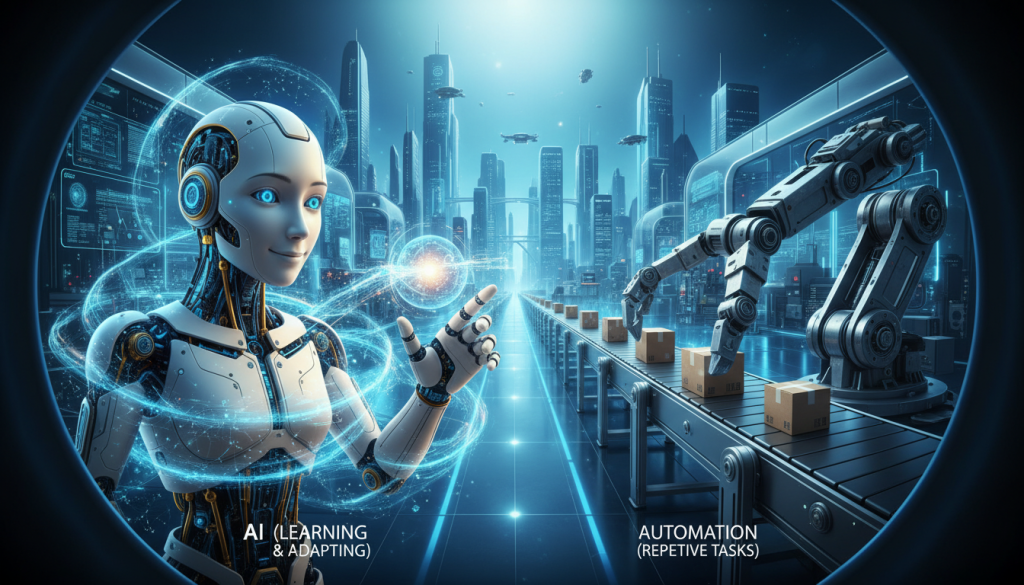
The difference between AI and automation is seen in daily tasks. Automation follows a specific path. AI, however, uses data to adapt to new situations like a smart assistant.
People often wonder if AI and automation are the same. They can work together but are different at their core. If a tool learns and adapts from data, it’s AI. If it just repeats tasks, it’s automation.
Nature of Intelligence vs. Task Execution
Automation focuses on doing tasks. It does things like sorting bills, sending messages, or shifting data. If the steps are set, it works quickly and without errors.
AI is about mimicking human smarts. It finds trends in data and uses them on new stuff. This is a big deal because AI can deal with complex things like words, pictures, or changing customer actions.
| How to Spot It | Automation | AI |
|---|---|---|
| Core purpose | Runs predefined steps in a stable workflow | Generates outputs from learned patterns in data |
| Typical output | Same result for the same input | Result may vary, with a confidence score |
| What you’ll see in the setup | Rules, triggers, and process maps | Training, inference, and evaluation checkpoints |
| Common risk | Breaks when the process changes | Drifts when real-world data shifts over time |
Decision Making Capabilities
Automation decisions are based on clear rules. Like “if this, then that,” linking conditions to actions. It’s great for tasks that need to be the same every time.
AI decisions rely on chances. It might give a guess and how sure it is. Teams use those guesses to decide what to do. The NIST’s AI Risk Management Framework suggests ways to make sure AI stays reliable, as it can act differently when used.
Learning and Adaptability
Automation can’t learn by itself. It only changes if someone tweaks the rules or process. This is good when things don’t change much.
AI gets better with updates, using methods from AWS and Google Cloud. It can get worse if the data it learns from changes. That’s why it needs checks and controls. When people ask if AI is like automation, the ability to learn is a key difference.
- Practical cues you’re dealing with AI: labeled data, a training step, model evaluation metrics, and sensitivity to new input patterns.
- Practical cues you’re dealing with automation: fixed rules, stable triggers, and identical outputs for identical inputs.
Benefits of AI in the Workplace
AI at work can make results better when things get too quick or complex. It helps teams tell important info from less important stuff and make decisions with more sureness. This shows the difference between artificial intelligence and automation: automation does the same steps over and over, while AI learns from patterns and changes.
For AI to really work, teams must understand AI automation the same way. This means they should all know about the data, models, and how to check on them. Following NIST’s advice for trustworthy AI helps make sure things are done right without losing safety.
Improving Accuracy and Precision
AI is usually better than manual methods at finding patterns, even in big projects. For quality control, it can see tiny mistakes human eyes might miss. In security and finance, it can spot strange actions in millions of records quickly.
Language tools are also very useful. They can sort emails, direct support tickets, and tag documents by what they’re about. But AI isn’t perfect and can mess up, like making mistakes or being too sure of wrong answers.
That’s why important work checks AI’s work, keeps an eye on it, and includes human judgment. It’s a choice between using AI for its smart pattern finding and automating simple tasks for precision.
Facilitating Data-Driven Decision Making
AI can clean up messy data and turn it into forecasts or suggestions for people to check. This is useful for predicting demand, figuring out who might leave, or scoring risks. Stanford’s AI Index report shows more use and better results, making more teams trust AI advice.
In tools companies use, like Microsoft Copilot, it can help sum up meetings and write replies using what it knows. Salesforce Einstein can help figure out which sales leads are most promising. But success needs clear goals, clean data, and human checks for important decisions.
McKinsey shows areas like customer service, marketing, and software development getting better with AI. It’s about deciding when AI should suggest, act, or when people need to step in.
| Workplace task | How AI improves accuracy | Decision support output | Operational requirement | Common tools in practice |
|---|---|---|---|---|
| Visual quality inspection | Detects subtle defects and drift across many images | Pass/fail confidence score and defect category | Labeled samples, precision/recall targets, ongoing monitoring | Computer vision models used in production analytics suites |
| Fraud and anomaly detection | Finds rare patterns across large transaction logs | Risk score with top contributing signals | Threshold tuning, bias checks, analyst review for escalations | Service analytics platforms and SIEM integrations |
| Support ticket triage | Classifies intent and urgency more consistently than manual sorting | Recommended routing, priority, and next-best action | Ground-truth labels, audit sampling, human override path | Salesforce Einstein features in service workflows |
| Sales and demand planning | Reduces spreadsheet errors and captures seasonality signals | Forecast ranges and scenario suggestions | Data quality rules, backtesting, governance on model changes | Microsoft Copilot-assisted planning and forecasting tools |
Advantages of Automation
Automation excels in routine tasks that need consistency. It efficiently handles information in processes with definite rules and goals. This brings up a common confusion: is AI the same as automation? They differ, especially in how they’re used daily.
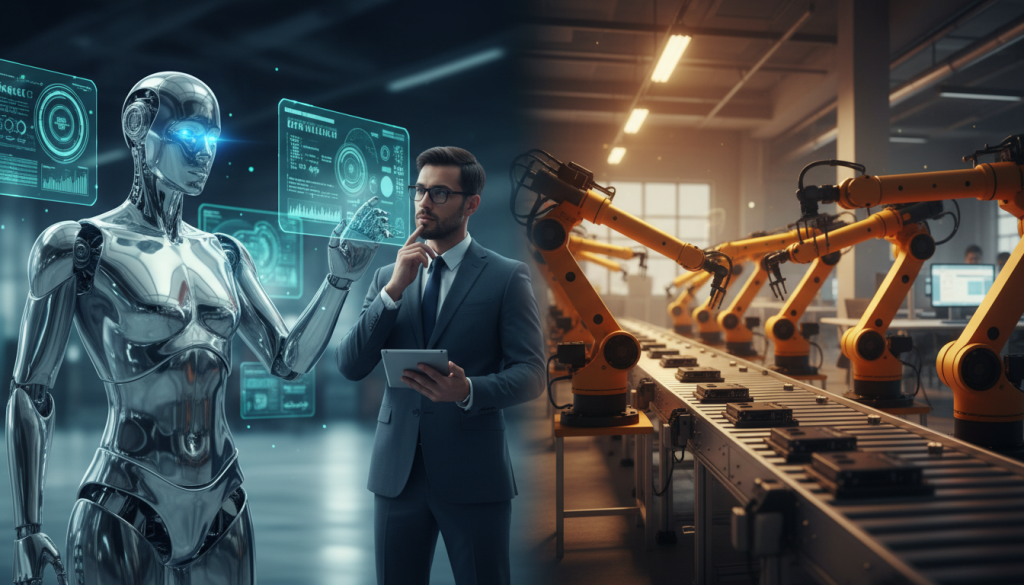
McKinsey’s studies see automation as key to productivity and efficiency. It shines in repetitive tasks like data entry and generating reports. Stable workflows mean faster cycles and predictable ROI.
Cost Savings and Efficiency
Automation saves labor in mundane tasks and quickens processes. Tools can expedite requests from start to finish without pauses for email replies. RPA, like UiPath, syncs data across systems without direct connections, cutting out hours of manual work.
Gartner’s insights on hyperautomation show why blending tools works well. BPM and workflow systems manage the process, while other tools handle system changes. This approach aids in regulation compliance and maintaining logs for audits.
- Best-fit processes: tasks that are high-volume with straightforward tasks, rare exceptions, and unchanging rules
- Watch-outs: unusual situations and changing rules can require human decision-making or AI, highlighting their differences
- Common categories: BPM/workflow tools, RPA (UiPath), IT automation, and integration platforms
Reducing Human Error
Mistakes happen when work is boring, rushed, or complex. Automation avoids these errors by following exact rules every time. This boosts compliance and reduces mistakes like copying errors.
Guidance from UiPath and Automation Anywhere focuses on consistent execution. Bots follow exact steps, log actions, and create records that are more reliable than manual work. For those questioning if AI is the same as automation, here’s a simple way to see it: automation handles routine tasks, while AI solves complex problems when standard rules aren’t enough.
| Automation use case | What gets faster or cheaper | Quality and compliance lift | Best-fit conditions |
|---|---|---|---|
| Data entry from forms into ERP/CRM | Less manual typing and fewer backlogs | Fewer transposed numbers and missing required fields | Standard form structure, consistent field mapping, low exceptions |
| Ticket routing and notifications | Shorter response times and fewer handoffs | More consistent SLAs and fewer “missed” requests | Clear categories, defined ownership rules, stable queues |
| Scheduled report generation | Less analyst time spent on routine pulls | Same filters each run, fewer version mix-ups | Known data sources, fixed reporting cadence, agreed definitions |
| IT automation for account provisioning | Faster onboarding and fewer help desk hours | Consistent access steps and clearer audit trails | Role-based access rules, approved templates, governed approvals |
| Invoice processing with rule-based checks | Lower processing cost per invoice | Fewer duplicate payments and more consistent policy checks | Stable invoice formats, clear tolerances, predictable exceptions |
Industries Utilizing AI Technologies
AI is showing up in industries where there’s a lot of data and decisions change quickly. In the battle of AI vs. automation, their roles are distinct: AI deciphers images, text, and trends; automation finishes the work. By comparing AI and automation, we can see how AI makes smart choices and automation follows through.
Healthcare Innovations
In healthcare, AI supports doctors, instead of replacing them. It spots possible issues in medical scans, aids in writing records, and offers triage tips. The Mayo Clinic is working on using AI to improve care and make clinical tasks better.
Rules decide how AI is used in real life. The U.S. Food and Drug Administration has approved many AI tools, stressing a key point: AI gives advice, but trained staff make the final calls. Then, automation takes over in organizing, planning, and completing related tasks.
Financial Services Transformation
AI helps banks and card companies find fraud, review anti-money laundering efforts, and assess credit risks. It also prioritizes customer service issues, making sure urgent ones get faster responses. AI spots problems, while automation makes sure the solutions are applied correctly.
Getting it right is as important as the technology itself. U.S. oversight bodies focus on model risk, including testing and explainability. Hence, many teams combine AI with detailed records and automatic systems that track decisions.
Retail and Customer Experience Enhancement
Retailers employ AI for recommending products, personalization, predicting demand, and analyzing feedback. McKinsey’s research shows AI leads to better forecasts and stronger connections with customers. These improvements can increase sales and reduce both out-of-stock and surplus situations.
In this context, the difference between AI and automation is clear in action and strategy. AI forecasts demand and what customers might want. Automation adjusts stock levels, orders more products, and organizes customer service to improve response times.
| Industry | Where AI adds value (unstructured work) | Where automation fits (repeatable workflow) | Common guardrails in the U.S. |
|---|---|---|---|
| Healthcare | Imaging support, note drafting, triage signals from symptoms and history | Order routing, appointment reminders, prior-auth packet assembly, task queues | FDA-cleared device use, clinician oversight, privacy controls |
| Financial services | Fraud and anomaly detection, AML alert scoring, call/chat intent detection | Case creation, escalation paths, evidence collection steps, reporting cadence | FFIEC/OCC model governance themes, validation, documentation |
| Retail | Recommendations, demand forecasting, review and chat sentiment analysis | Reorder triggers, price rule execution, ticket routing, returns workflows | Data quality checks, bias monitoring, customer privacy practices |
In all three industries, comparing AI and automation shows they serve different needs. AI tackles the unclear, finding patterns in data, images, and behavior. Automation makes sure actions are consistent, traceable, and swift upon deciding.
Fields Where Automation Thrives
Automation stands out when tasks are stable, repeatable, and measurable. Automation sticks to fixed rules, unlike AI, which adapts to changing situations. AI boosts automation by adding understanding and learning abilities. This lets systems adjust to changes without needing to be reprogrammed all the time.
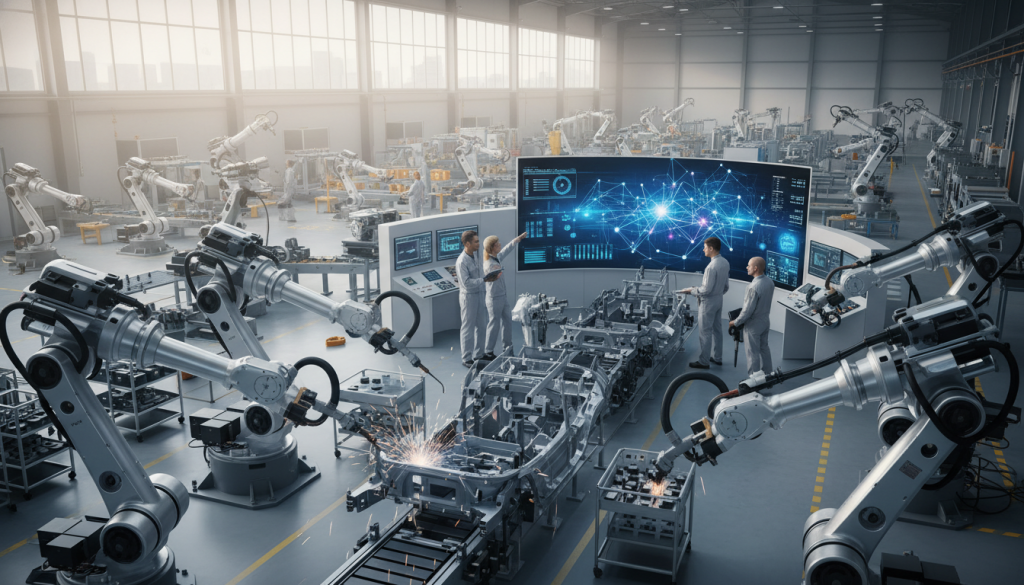
In the U.S., blending automation and AI gives the best outcomes. Traditional control may manage movement and timing. Meanwhile, AI helps with inspection or routing when things vary. The International Federation of Robotics (IFR) shows that using more robots leads to quicker production and safer work environments.
Manufacturing and Production Lines
On the production floor, automation relies on PLCs, sensors, and routine processes. Robotics companies like ABB and FANUC perform tasks like welding and placing items precisely. Systems from Rockwell Automation or Siemens monitor operations, alerting staff to issues, and tracking products during all shifts.
Quality control matches well with structured automation, using set measurements and tests to ensure products are good. But, changes in light, different parts, and defects can challenge automation. Here, AI comes into play, inspecting products and pinpointing problems, then letting standard processes remove the faulty items.
Agriculture and Food Processing
Automation is vital in agriculture for sorting, packaging, and keeping items fresh. Equipment like conveyors and sensors help extend product life and cut waste. Guidance from the USDA and universities shows that consistent use of these tools leads to trustworthy results in farms and factories.
However, dealing with variations in crops and weather is tricky. Strict automation can miss unusual issues. Thinking with AI, machines can assess produce quality and detect damage, while automation handles cutting and packaging quickly.
| Field | Where classic automation excels | Where AI-enabled automation helps most | Common constraints to plan for |
|---|---|---|---|
| Manufacturing lines | PLC-based sequencing, repeatable robot motion, SCADA/MES tracking for throughput and safety | Vision inspection for defects, adaptive routing for mixed parts, smarter alerts based on patterns | High upfront capital, planned downtime for maintenance, stable operating conditions for best performance |
| Food processing | Sorting by size bands, packaging steps, label application, cold-chain sensor monitoring | Grading by appearance, detecting bruises or contamination cues, handling product variability on fast belts | Sanitation requirements, sensor drift, changeovers between SKUs, calibration and spare-parts readiness |
| Field agriculture | Mechanized harvesting patterns, irrigation timing, equipment telematics and alerts | Crop recognition, yield estimation, row guidance under changing light and dust conditions | Weather swings, uneven terrain, connectivity gaps, operator training and seasonal service schedules |
Misconceptions About AI and Automation
People often confuse AI with automation because they come wrapped together. That confusion grows when a dashboard looks “smart,” even if it just runs a set schedule. Knowing the similarities of AI and automation helps, but it also shows where the overlap ends.
A practical way to sort it out is by looking at how work gets done. Automation follows steps; AI can infer patterns from data. These details are key when buying software, setting expectations, or planning teams.
Are They the Same Thing?
Is AI the same as automation? Not in most real workflows. Automation is rules-based: “If this happens, do that.” AI, on the other hand, is model-driven. It uses data to predict what’s next, even when inputs change.
| What to look for | Automation (rules-based workflow) | AI (model-driven inference) |
|---|---|---|
| Core method | Triggers, templates, and fixed decision trees | Statistical or neural models that generate predictions |
| Typical input | Structured fields like status, dates, and form values | Data sets, text, images, audio, and mixed signals |
| How it “improves” | Humans edit steps and add new rules | Teams retrain, tune, and evaluate with test sets |
| Common failure mode | Breaks when a condition changes or a step is missing | Errors from bias, drift, or weak evaluation on edge cases |
| Best fit | Invoice routing, alerts, and handoffs across apps | Forecasting demand, classifying tickets, spotting anomalies |
Marketing can blur the lines between AI and automation. Some “AI-powered” tools just automate tasks and responses. When comparing options, ask about training data, model evaluation, and failure modes, not just features. That’s when you tell hype from what’s measurable.
The Fear of Job Replacement
Is AI the same as automation? Their impact on jobs is also different. Automation takes over repetitive tasks, while AI changes decision-making. In both situations, jobs may shift instead of disappearing.
Reports from the World Economic Forum talk about new roles and tasks declining. The U.S. Bureau of Labor Statistics shows how jobs and demands change, explaining uneven impacts. McKinsey sees this as a period of transition that often needs reskilling, especially as adoption rates vary.
- Oversight and quality control become more important as systems handle routine volume.
- Exception handling grows when edge cases don’t fit the rules or the model.
- Customer relationships and judgment-heavy work stay valuable, especially in complex services.
- Higher-value analysis expands when teams can spend less time on manual prep.
Understanding AI and automation can reduce worry and improve planning. It also makes discussions about real work – tasks, tools, and adoption – more grounded.
Future Trends in AI and Automation
The next wave of change in AI and automation won’t be just one big step. It will be like steady improvements across different teams. The groups that move from just trying out AI to using it every day will come out on top. The talk about AI versus automation will focus more on what makes things faster, better, and more in control.

Predictions for Next Decade
Generative AI will become common in tasks like writing reports and organizing notes. Stanford’s AI Index shows that more money and interest are going into these tools. This is why we’re going to see them in more company budgets. But, to get the best results, teams need to have a clear plan.
AI agents will also grow, especially for simple online tasks. According to Gartner, this is part of hyperautomation. It’s when many small automations work together in a big process. Here, even basic automation can help a lot.
Automation will get bigger in areas like the back office and IT, but with better rules. NIST is helping companies think about AI safely. This helps as the choice between AI and automation becomes about how to manage it well.
- Enablers: stronger models, cheaper inference, better MLOps, and clearer enterprise policies
- Constraints: privacy rules, IP protection, cybersecurity threats, and pressure to prove value beyond pilots
Integration of AI into Automation
More businesses are using intelligent automation. This blends AI with automation for tasks that were hard before. Like, understanding documents or routing work automatically. This makes AI and automation work together better.
Hyperautomation will become more refined. It means mixing rules, APIs, and machine learning together. This approach makes workflows flexible and less prone to errors. When we compare AI and automation, we’ll look at efficiency and how easily teams can adapt.
| Trend | What’s changing | Where it shows up | Governance pressure point | Value signal to track |
|---|---|---|---|---|
| Generative AI for knowledge work | Drafting, summarizing, and classifying content becomes a standard feature | Support notes, policy drafts, sales emails, analytics write-ups | IP leakage and approval workflows | Time-to-first-draft and edit distance after review |
| AI agents in operations | Software assistants handle multi-step tasks across tools with human checkpoints | IT service management, employee onboarding, procurement requests | Access control, logging, and prompt injection defenses | Tickets resolved per analyst hour and escalation rate |
| Intelligent automation | AI fills in the “messy input” gaps that used to stop automation | Invoices, claims, forms, chat intake, email triage | Data retention, model drift, and explainability needs | Straight-through processing rate and exception volume |
| Hyperautomation platforms | Connected automations behave like a system, not isolated scripts | Finance ops, HR ops, customer operations, IT workflows | Change management and audit readiness | Cycle time from request to completion and rework rate |
Ethical Implications of AI and Automation
Ethics become unclear with fast system decisions. Many question, Is AI the same as automation? Knowing the difference affects risk, control, and who’s responsible.
Automation does the same task over and over. AI, though, can learn and make guesses from data. This difference changes what harm means and its speed when used widely.
Job Displacement Concerns
With job changes, companies must plan carefully. This includes retraining, moving people to new roles, and giving plenty of notice. Skipping these steps means closing doors that once opened opportunities for many.
Again, Is AI the same as automation? No, especially in how they affect jobs. AI changes jobs that need decisions. Automation handles the repetitive work. Either way, change should be managed with training, plans, and clear communication.
- Reskilling programs that match actual job openings
- Redeployment options for affected employees, with details on pay and roles
- Transparent communication on upcoming changes and timelines
Privacy and Data Security
AI raises the privacy bar because it needs lots of data. Keeping data use minimal, asking for permission, setting how long you keep data, and strict who-can-see-it rules are essential. In the U.S., this means following healthcare and financial service laws and state laws like California’s CCPA/CPRA.
Automation can pose risks too. It might apply a bad rule to lots of data quickly. That’s why knowing the difference between AI and automation is critical in risk assessments.
| Safeguard | What it checks | Why it matters in U.S. compliance |
|---|---|---|
| DPIAs | Purpose, data scope, retention, and downstream use | Meets privacy-by-design laws like CCPA/CPRA and audits |
| Model cards | Training data notes, limits, and failures | Aids in making honest performance claims |
| Red-teaming | Checks for bias, prompt attacks, data leaks | Finds safety issues before launch |
| Access logging | Records who accessed sensitive data, when, why | Better tracking for security and investigations |
| Encryption | Secures data being sent or stored | Lessens risk of data being stolen |
| Incident response planning | Defines roles, steps to contain, notify, recover | Ensures quick action when problems arise |
Good governance keeps teams on track. The NIST AI RMF focuses on governance, mapping, measuring, and managing. FTC guidance emphasizes honest AI claims and strong data security. Policy from the White House and OMB guidance underlines the importance of testing, documenting, and overseeing AI.
If you wonder, Is AI the same as automation?, let it guide your considerations. This question helps you choose what data to collect, how to test, and getting the right approvals before launch.
The Role of Humans in an Automated World
Automation speeds up work, while people keep it right on course. Understanding AI and automation helps in figuring out the human role. AI automation is about software learning to do tasks better, rather than just repeating them.
In teams, clear roles lead to the best outcomes. Machines are great at handling lots, quickly and spotting patterns. People are there to set goals, question things, and intervene when necessary.
Collaboration Between Humans and Machines
There are two main ways teams can balance control. Human-in-the-loop means people check important decisions first. Human-on-the-loop lets systems operate alone, but humans keep an eye out and step in for exceptions.
A good understanding of AI and automation makes this balance easier. AI predicts and classifies; automation schedules and triggers tasks. Together, they enhance services and keep humans in charge of accountability.
| Collaboration model | What humans do | What machines do | Where it fits best |
|---|---|---|---|
| Human-in-the-loop | Set decision rules, review high-impact outputs, approve edge cases | Draft recommendations, score risk, summarize inputs at speed | Credit decisions, healthcare triage support, fraud review queues |
| Human-on-the-loop | Monitor dashboards, audit samples, handle incidents, refine policies | Execute workflows, detect anomalies, auto-route tickets, log actions | IT operations, fulfillment routing, routine compliance monitoring |
Trust and understanding speed up adoption of new tech. The World Economic Forum shows a growing need for tech-savvy but also critical-thinking jobs.
Upskilling for the Future Workforce
Upskilling is about more than coding. It’s learning to communicate and work with analytics and digital tools. McKinsey shows that as jobs evolve, the need for new skills grows.
Effective training focuses on immediately useful skills:
- Data literacy: reading dashboards, spotting errors, asking questions
- Prompt and evaluation skills for generative AI: assessing outputs, judging quality
- Process mapping: identifying bottlenecks and documenting workflows
- Automation design: setting up rules and actions
- Change management: guiding others, managing updates
- Basic governance awareness: understanding privacy and oversight
Options like Microsoft Learn, Google Career Certificates, and Coursera offer a good start. Employer-led training also works well by teaching relevant tools and stressing a shared understanding of AI automation.
Real-world training makes the functions of AI and automation clearer. Then, it’s easier to decide what to automate fully, what to review, and what should stay manual due to risks or specific situations.
Real-World Examples of AI and Automation
Comparing real projects makes understanding AI and automation easier. In many teams, AI and automation differ daily. AI deals with complex language and decisions. Automation does routine tasks on time.
These instances show how both tools are used and controlled, and what gets measured. You’ll also understand why the AI vs. automation difference is key. Especially when tasks move from usual jobs to talking with customers or handling unexpected issues.
Case Study: AI in Customer Support
Customer support often uses AI through tools like Zendesk AI, Salesforce Service Cloud Einstein, and Microsoft Dynamics 365 Customer Service. It spots what customers want, suggests answers, summarizes chats, and spots mood. This helps agents respond quicker.
Teams put in safety measures, checks, and ways to switch to human help smoothly. For example, if a customer wants a refund or private info changes, the system quickly hands off to a human but keeps all the details. This shows the difference well: automation organizes and tags tasks, while AI understands customer needs.
Support heads use a detailed scoreboard to see results. They check how many people fixed their own issues and overall customer satisfaction. Because quick help that’s wrong can damage trust.
Case Study: Automation in Supply Chain Management
Supply teams start with automation in systems like SAP, Oracle, and others. They automate orders, warehouse tasks, sending out notices, and making data sharing smoother to cut down on manual work.
Here, telling AI from automation apart is clear. Automation follows set rules to keep things moving smoothly. AI comes in later, usually to predict or handle sudden changes.
Managers track how long orders take, how often items are in stock, and how many issues pop up. Research shows that combining automated tasks with clean data and strict planning often means less waiting and better service.
| Use case | Typical systems | What AI does | What automation does | Metrics teams watch |
|---|---|---|---|---|
| Customer support chat and agent assist | Zendesk AI; Salesforce Service Cloud Einstein; Microsoft Dynamics 365 Customer Service | Intent detection, conversation summarization, suggested responses, sentiment cues, topic clustering | Ticket routing, tagging, SLA timers, escalation rules, knowledge-base surfacing based on triggers | Containment rate, CSAT, first response time, handle time, recontact rate |
| Order processing and replenishment | SAP; Oracle | Demand signals analysis to flag unusual patterns and likely stockout risks | Automated purchase orders, approvals, reorder points, EDI document exchange | Order cycle time, stockout rate, fill rate, exception frequency |
| Warehouse execution | Manhattan Associates; Blue Yonder | Workload insights that help prioritize waves and spot bottlenecks earlier | Pick-pack-ship workflows, scan validation, task interleaving, shipment notifications | Lines picked per hour, on-time shipment rate, mis-pick rate, dwell time |
In both case studies, the AI versus automation comparison is clear. AI adds understanding and advice. Automation ensures tasks are done the same way every time. Seeing their differences in real numbers helps teams have realistic goals for new projects.
AI vs. Automation: A Comparative Analysis
Teams compare artificial intelligence (AI) and automation to understand what each optimizes. AI and automation are not the same. Automation repeats tasks, and AI interprets complex data to make decisions.
A practical assessment begins by measuring outcomes. NIST recommends ongoing checks for quality and risk, indicating performance might change over time. This approach helps distinguish AI from automation in daily tasks. The metrics for each will differ significantly.
Performance Metrics
AI’s performance is seen in the quality and safety of its models. Metrics include model precision, recall, F1 scores, latency, and how often humans need to intervene. These indicators show how AI manages unknowns.
Automation’s performance is evaluated by throughput, cycle time, error rate, and uptime. These factors quickly show the difference between AI and automation.
| What to Measure | AI-focused signals | Automation-focused signals | What it tells you |
|---|---|---|---|
| Quality | Precision/recall, F1, calibration | Error rate, rework rate | Output correctness under real conditions |
| Stability over time | Drift, incident rates, override rate | Uptime, exception rate | How often performance changes or breaks |
| Speed | Latency, throughput at peak load | Cycle time, throughput | Customer impact and bottleneck risk |
| Governance | Monitoring coverage, auditability of decisions | Compliance/audit success, change control | Whether the system is controllable and reviewable |
Cost-Benefit Comparison
Costs for AI and automation differ. Gartner says to consider all ongoing costs, not just purchase price. For automation, consider design, integration, testing, and maintenance costs.
AI involves data preparation, training, and monitoring costs. McKinsey highlights the importance of adoption and improvement for value realization. So, AI may bring more uncertainty and effort than automation.
To decide between AI and automation, use a simple approach. Automation suits stable, rule-based processes. AI works better for unpredictable situations. A combination, like using automation for basic tasks and AI for complex decisions, often yields the best results.
How to Choose Between AI and Automation
To choose the right approach, understand what AI automation means. It’s using software to do work with little human help, and sometimes this software can learn from data. The best way to save money is by knowing how AI and automation differ in your work. Automation does the same steps over and over. AI, however, works with patterns and decisions but might be less predictable.
For a practical test, look at how work is currently done. Identify where delays happen, where mistakes are made again, and where approvals slow things down. Then, think about how often and how differently these tasks happen. Tasks that are done a lot and don’t change much are great for automation.
Assessing Business Needs
Divide tasks into two types: those based on rules and those based on judgment. Tasks with clear steps based on certain conditions fit into “rules-based”. “Judgment-based” tasks deal with complex issues or require understanding language. Here, you’ll really see the difference between AI and automation in day-to-day work.
Next, think about the risks. Consider what could go wrong and who could be affected. For tasks under strict rules, be cautious about uncertain results and include human checks for tricky cases.
- Workflow fit: bottleneck location, handoffs, cycle time, and error hotspots
- Data readiness: access, quality, and permission to use it
- Control needs: audit trail, explainability, and rollback options
- Operational risk: customer impact, compliance exposure, and security limits
Thinking about risks, like what NIST’s AI Risk Management Framework suggests, helps teams match controls to impact. It also ensures the AI automation idea is based on real safety measures, not just sales talk.
Evaluating Implementation Costs
Planning your budget means more than just paying for licenses. For both AI and automation, remember to include figuring out the processes, adding the tech, checking for security, training people, and keeping things running. Change management is key too, because even a good system might not work if teams don’t use it well.
AI has additional costs. Get ready to spend on organizing data, marking it, reviewing models, watching for changes, and managing everything. These extra expenses often show up after the trial period, highlighting another distinction between AI and automation.
| Decision area | Automation (rules-first) | AI (data-first) |
|---|---|---|
| Best task match | Stable steps, repeatable approvals, consistent inputs | Text, images, complex classification, variable exceptions |
| Core build costs | Process mapping, scripts/workflows, integration, testing | Data pipelines, model selection, evaluation, integration |
| Ongoing costs | Version updates, rule upkeep, platform maintenance | Monitoring, retraining, drift checks, governance reviews |
| Risk profile | More predictable outcomes; failures tend to be clear | Probabilistic outputs; needs thresholds and human review |
| Vendor questions | Reliability, uptime, change logs, data access controls | Transparency, evaluation results, auditability, fallback plan |
Before you make a decision, go through a quick list. Check data availability, how hard it is to add to your system, needing people to check the system’s work, clear vendor info, records of changes, and a backup plan. McKinsey also says that the cheapest trial might not be the cheapest to maintain.
Conclusion: The Future of AI and Automation
People often wonder if AI is the same as automation. They’re not the same. Automation does repeated tasks following specific rules. AI, however, learns from data to make decisions that can change over time. This difference is crucial in the debate over artificial intelligence vs automation in the U.S.
The smartest path blends both. Automation speeds up work and ensures consistency in tasks like invoicing and quality checks. AI deals well with complex inputs, such as emails or customer feedback. Combining both, companies can improve workflows and make smarter decisions.
Using AI responsibly means setting boundaries. The NIST’s principles for trustworthy AI emphasize transparency and accountability. This helps make AI reliable for daily use. Also, it simplifies measuring success and staying within laws as AI applications grow.
Real benefits come from practical use, not just talk. According to McKinsey, real value is seen when businesses expand and redesign their operations. The World Economic Forum highlights the importance of preparing the workforce for these changes. Thus, training and adjusting to new technology are key. When leaders focus on clear processes, high-quality data, and their teams, choosing between AI and automation becomes part of a bigger strategy for ongoing improvement.


