
Can automated email tools really capture your unique voice and brand? Or do they just send out generic messages that seem robotic and impersonal?
The flexibility of AI email platforms is key for those overwhelmed by emails. These smart tools use huge language models to write full messages. They do more than just offer simple templates or one-line ideas.
Today, there’s a wide range of options. Some let you tweak the tone, while others offer sophisticated personalization through CRM and learning your brand’s voice. Top platforms like Buzz by Hive, Grammarly Business, and HubSpot offer different levels of control over what you write.
If you get 50 or more emails a day, knowing how to customize is a must. The right tool keeps your messages real while making communication easier. How well your automated emails feel personal depends on the personalization features.
Business needs tools that fit their industry, audience, and specific needs. It’s not about whether to use these tools, but which one fits your organization’s needs best.
Key Takeaways
- Modern email automation tools range from basic template systems to highly adaptive platforms with advanced personalization features
- Customization options include tone control, CRM data integration, conversation history analysis, and brand voice adaptation
- Leading solutions like Buzz by Hive, Grammarly Business, and HubSpot offer different levels of flexibility for various business needs
- Personalization capabilities directly impact whether automated emails maintain authenticity and genuine connection with recipients
- Professionals handling high email volumes require platforms that balance efficiency with customization to preserve brand consistency
- Understanding platform flexibility helps organizations choose tools that align with specific industry requirements and audience expectations
Understanding AI Email Generators
Technology has changed how we write emails, introducing tools that draft messages from brief prompts. These tools are more than simple automation. They bring intelligence to everyday communication tasks, saving time and mental energy.
An AI email generator is a tool that uses artificial intelligence to automatically draft emails based on short prompts or context provided by the user. Unlike traditional email assistants, these advanced systems create complete, context-aware email drafts. They don’t just predict your next word—they understand your intent and craft entire messages.

What Makes These Tools Different
The power behind AI email generators lies in their foundation: large language models (LLMs). These advanced machine learning systems have been trained on billions of words and writing patterns to understand context, tone, and intent. When you use customizing AI email tools, you’re accessing technology that has analyzed countless examples of human communication.
AI Email Writer by Mailmeteor shows this capability. It uses GPT models and has been tested on vast datasets of emails. HubSpot’s AI email creation takes a different approach, generating emails designed for target audiences to take specific actions.
These tools are different from basic autocomplete features. They offer genuine comprehension of your communication goals. They don’t just fill in blanks—they construct coherent messages that reflect your purpose.
The Three-Step Generation Process
The process works in three distinct steps that transform your ideas into polished email drafts. Understanding this workflow helps users maximize the effectiveness of adaptable email generation software.
Step one involves input or prompt creation. Users describe what they need in plain language. This might be as simple as “write a follow-up email to a client after our meeting yesterday” or “draft a professional out-of-office message for next week.” The brevity required surprises many first-time users—you don’t need to provide extensive details.
Step two is AI processing. The system uses natural language processing to analyze your prompt, understand context clues, and identify the appropriate tone and structure. During this phase, the AI considers factors like formality level, purpose, and relationship dynamics between sender and recipient. This processing happens in seconds, leveraging the billions of parameters within the language model.
Step three delivers output and refinement. The tool produces complete email drafts that users can review and tweak as needed. Most platforms allow immediate editing within the interface, letting you adjust specific phrases, add personal touches, or modify the overall approach before sending.
Essential Capabilities That Enable Customization
Modern AI email generators share several key features that make customizing AI email tools both powerful and accessible. These capabilities determine how well the software adapts to different situations and user preferences.
- Tone control: Users can shift between professional, casual, persuasive, or empathetic styles with a single click. This flexibility ensures the message matches the situation and recipient relationship.
- Context awareness: Advanced systems pull information from prior emails or conversation threads, creating responses that reference previous discussions naturally.
- Templates and customization options: Pre-built frameworks for common email types accelerate the drafting process while allowing personalization.
- Platform integrations: Seamless connections with Gmail, Outlook, and CRM systems mean the AI works within your existing workflow.
- Multi-language support: Global teams benefit from AI that can draft professional emails in dozens of languages, maintaining appropriate cultural nuances.
- Security features: Encryption and GDPR compliance protect sensitive information, making these tools suitable for business communication.
The pricing models for these features vary considerably. Options range from free versions with basic functionality to enterprise packages. This range ensures accessibility for individual users while providing scalability for organizations.
The sophistication of adaptable email generation software stems from combining powerful AI architecture with user-controlled parameters. This combination creates systems that are both intelligent and flexible, capable of producing diverse outputs while respecting user preferences and requirements.
The Level of Customization Offered
AI email generators offer deep customization in three key areas. They go beyond simple text creation to give users control over content. The level of AI email template customization affects how well emails meet business needs and goals.
Platforms vary in how flexible they are. Some offer broad template libraries, while others focus on detailed personalization. The right choice depends on what users need and the complexity of their email campaigns.
Foundation Through Ready-Made Structures
Most AI email workflows start with pre-written templates. These templates are for different types of emails, like promotions and customer support replies. They provide a solid base for users to build on.
Copy.ai has many template options for various scenarios and industries. Each template has sections that guide the AI’s content creation. Users pick a template that fits their purpose and customize it with their details.
Writesonic has a big library of email templates and subject line suggestions. This helps keep the email preview and content consistent. The templates are organized by function, making it easy to find the right one for a campaign.

HubSpot lets users use existing templates for layout consistency or clone successful emails. This cloning feature helps teams keep their brand standards while adapting content for new audiences. The templates are flexible frameworks that AI fills with customized content based on user prompts.
Tailoring Content to Recipients
The personalization options for email AI go beyond basic mail merge. Modern tools use advanced targeting to adjust content for each recipient. This makes generic templates into personalized communications.
Users can describe their target audience in detail. The AI uses this information to adjust the content, making it more relevant. This personal touch makes messages resonate with recipients.
Platforms let users specify actions recipients should take after reading the email. Whether it’s scheduling meetings or making purchases, the AI structures content to guide readers. Users also provide key information about products and services that the AI incorporates into the content.
HubSpot recommends enabling three data sources for personalized results: CRM data, customer conversation data, and files data. This integration allows the AI to access customer history and preferences. The result is personalized messages, not generic ones with names inserted.
Buzz by Hive shows advanced personalization by using context from previous emails. This keeps conversations flowing smoothly, referencing previous discussions. The AI drafts responses that acknowledge the conversation history, not treating each email as a standalone message.
| Customization Feature | Basic Implementation | Advanced Implementation | Business Impact |
|---|---|---|---|
| Template Selection | Choose from 10-20 pre-built templates | Access 100+ industry-specific templates with cloning capabilities | Reduces initial setup time by 60-70% |
| Audience Targeting | Basic demographic filters | CRM integration with behavioral tracking and conversation history | Increases response rates by 35-45% |
| Brand Voice Control | Select from predefined tones | Train AI on company content with iterative refinement options | Maintains consistency across 90%+ of communications |
| Content Regeneration | Limited to 2-3 variations | Unlimited regeneration with specific adjustment parameters | Achieves optimal messaging in 50% fewer attempts |
Aligning with Organizational Identity
Brand voice adaptation is a key aspect of AI email template customization. Organizations want their AI emails to match their communication style. This consistency builds trust and reinforces their brand identity.
Tools let users adjust tone and style to keep communications consistent. Options include formal versus casual language and technical versus accessible terminology. These controls help the AI match the organization’s voice.
Grammarly Business analyzes the audience to suggest tone and style adjustments. It identifies when language is too formal or too relaxed. These suggestions help users fine-tune AI outputs to match their brand and audience expectations.
Users can edit AI-generated content to keep their brand’s voice and style. Most platforms support iterative regeneration, allowing users to refine their prompts until they get the desired voice. This process teaches users how to get the best results from their AI email generator.
The combination of initial settings, CRM data, and editing creates a feedback loop. Over time, users learn to get consistent, on-brand content from their AI email generator. This transformation turns AI email generators into valuable writing partners that understand organizational communication standards.
Use Cases for AI Email Generators
Today, businesses use AI email generators in three main areas. These tools help with communication in ways that make a big difference. They go beyond just filling in templates.
They are key for professionals who handle many different types of messages. Knowing how to use them can really help an organization.
Tailoring automated emails works best when the right tool is used for the right task. Each area needs its own approach and features. AI email generators can adapt to meet these needs, from big marketing campaigns to personal emails.
Promotional Communication and Brand Messaging
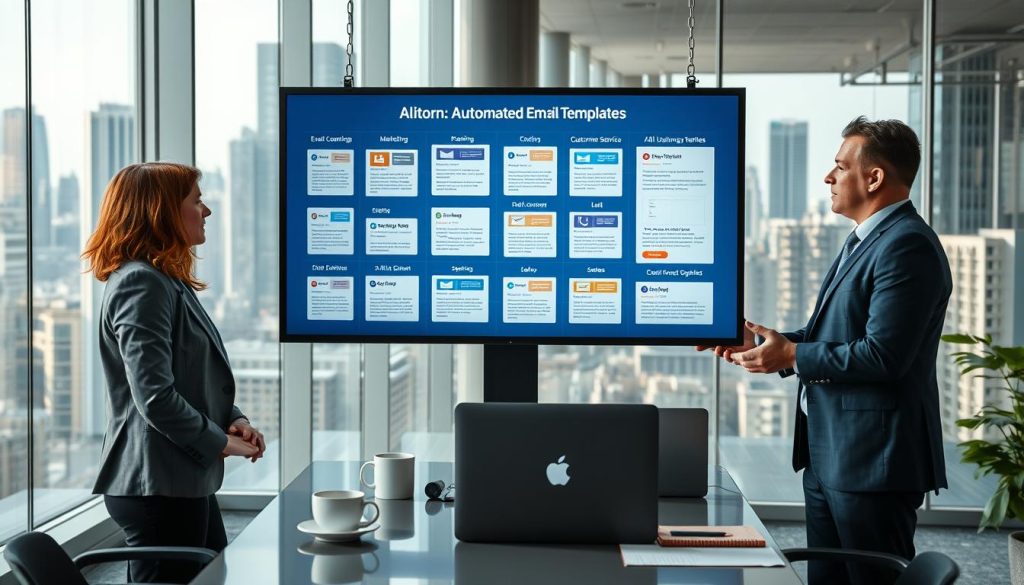
Marketing teams use AI email generators to make promotional content that speaks to different groups. MailChimp uses AI to create personalized emails based on data. This helps improve how many people open and engage with emails.
Copy.ai makes it easy to create different versions of emails for testing. This lets marketers adjust the tone and style to fit their brand. It’s great for sending out messages to different groups.
Writesonic helps with creating long emails for sales pitches and newsletters. It helps marketers get past writer’s block. This way, teams can keep their brand message consistent while sending out more emails.
Support Team Efficiency
Customer support teams use AI to handle the same questions without losing personal touch. Many people deal with a lot of emails that need answers. AI email generators provide drafts that agents can customize with customer details.
These tools help support teams work faster while keeping emails personal. Agents add personal touches to show they care. This builds strong customer relationships.
AI is great for answering common questions. Support teams can focus on harder problems. This keeps responses fast and personal.
Individual Relationship Building
AI email generators are also key for personal outreach. SmartWriter.AI creates personalized emails for sales and networking. It uses data to make messages that mention specific details about people or companies.
Automated emails can feel more personal when they’re tailored. These tools help make messages that connect with people. This leads to more responses and stronger relationships.
AI helps with sending reminders and keeping in touch. Sales teams use it to stay in touch without tracking every email. This helps build real connections with many people.
| Use Case | Primary Benefits | Key Tools | Customization Focus |
|---|---|---|---|
| Marketing Campaigns | Audience segmentation, A/B testing, scalable content creation | MailChimp, Copy.ai, Writesonic | Brand voice consistency, segment-specific messaging |
| Customer Support | High volume management, response consistency, time savings | Various AI assistants | Balancing efficiency with empathy |
| Personal Outreach | Higher response rates, relationship building, prospect engagement | SmartWriter.AI | Individual personalization, recipient-specific details |
| Common Applications | Overcoming writer’s block, maintaining professionalism | All platforms | Tone adaptation, context relevance |
Comparing Customization Across Leading Tools
When looking at AI email generators, we see big differences in what they can do. Each tool has its own special features and how much control users have. Knowing these differences helps businesses pick the right tool for their needs and budget.
The world of AI email generators is always changing. New tools come out, and old ones get better. This competition means users have many choices at different price points and with different features.
Leading AI Email Platforms
The market has several prominent AI email generators for different needs. Buzz by Hive is great for teams using Hive for project management. It uses workspace history and project contexts in a unique way.
Grammarly Business is known for helping teams sound professional. It keeps writing consistent and offers real-time tone adjustments for different audiences. Its AI suggestions make outreach better.

Copy.ai has an easy-to-use interface and lots of templates for emails. It has good customization for tone and style, despite some workflow issues. Users like its flexibility for different emails.
Writesonic is all about making high-quality email content and tracking it. It has many templates and subject line ideas to boost open rates. Its focus on AI makes it great for marketing teams.
Jasper.ai, formerly Jarvis, is all about storytelling in emails. It keeps a consistent brand voice across emails, perfect for companies with a story. But, it’s only available as a browser extension, which might limit some integrations.
MailChimp has a new “Write with AI” feature in beta. It makes subject lines and personalized content for specific groups. It works well with MailChimp’s analytics and segmentation tools.
SmartWriter.AI is for sales teams needing personalized emails at scale. It analyzes data to make individual messages and tracks performance. It’s great for cold emails and lead generation.
Customization Features Comparison
To understand customization, we need to look at what each platform offers. Buzz by Hive knows a lot about the workspace it’s in. It learns what’s important to users and highlights key messages.
Buzz also suggests next steps based on emails. Users can set priorities for updates. This makes Buzz stand out from others.
Grammarly Business is all about adjusting tone and style for different audiences. It lets teams set style guides and checks for communication issues before sending emails. This helps avoid misunderstandings.
Copy.ai has a wide range of templates for different industries and needs. Users can change tone, style, and content length. The interface might be a bit confusing, but the options make up for it.
Writesonic tracks email content and suggests the best times to send. It offers different subject lines for A/B testing. This makes it easier to improve emails over time.
Jasper.ai keeps the brand voice consistent in emails. It supports multiple brand profiles, letting users switch styles easily. Its focus on storytelling makes it unique.
MailChimp uses audience data to personalize emails. It suggests changes based on how subscribers interact. This makes it great for email marketing.
SmartWriter.AI personalizes emails deeply by analyzing recipient data. It references specific details about prospects, which increases responses. It tracks which customizations work best.
Pricing Structures and Accessibility
Cost is a big factor in choosing AI email generators. AI Email Writer by Mailmeteor is free, making it a good starting point for individuals and small teams.
Most tools offer basic features for free but charge for more advanced options. Prices often depend on how much you use, how big your team is, or what features you need. Enterprise plans usually include extra support and security.
Not all expensive tools offer the most customization. Some budget-friendly options have a lot to offer. Businesses need to weigh their needs against their budget when choosing a tool.
| Platform | Primary Strength | Customization Level | Pricing Model |
|---|---|---|---|
| Buzz by Hive | Contextual workspace integration | High (contextual + priority learning) | Included with Hive subscription |
| Grammarly Business | Tone and style adjustments | High (audience-specific recommendations) | Per-seat subscription |
| Copy.ai | Template variety | Medium-High (extensive options) | Freemium with paid tiers |
| Writesonic | Content tracking | Medium-High (analytics-driven) | Subscription-based |
| Jasper.ai | Brand voice consistency | High (narrative focus) | Subscription with usage limits |
| MailChimp | Audience segmentation integration | Medium (data-driven personalization) | Tiered pricing by contacts |
| SmartWriter.AI | Recipient data analysis | High (deep personalization) | Credits-based subscription |
| Mailmeteor | Accessibility | Basic (core features) | Free |
This comparison shows that customization doesn’t always mean a higher price. Some expensive tools focus on specific areas, while cheaper ones offer a lot. The best choice depends on what the business needs, its current tools, and the type of emails it sends.
Factors Influencing Customization
Customization success with AI email tools depends on more than just the tech. It also depends on who uses them and why. The flexibility of AI email platforms changes based on user skills and the needs of different jobs. Knowing these factors helps pick the right tools and use them well.
AI email generators aim to make automation easy for everyone. But, the quality of what they create can vary a lot. Two main things decide if you get generic emails or ones that really fit your needs.
The Impact of User Expertise on Customization
AI email tools are made to be easy to use, even for those without tech skills. Mailmeteor says you don’t need to know much tech to start using them. Just tell them what you want and who you’re sending it to.
But, there’s a big difference between just using them and really getting the most out of them. Users who know how to use AI tools better get better results. This is because they give the AI specific prompts about what they want, how they want it, and who they’re sending it to.
Good prompts give lots of details, like deadlines or who you’re talking to. For example, saying “working professionals aged 30-45 who are new to our brand and want to improve work-life balance” is much better than just “professionals.”
Getting better at using AI email tools means trying different things. Even small changes in how you ask for something can make a big difference. HubSpot’s system lets you give up to 4,000 characters of instructions, so you can give lots of details.
Here are some tips for making the most of AI email tools:
- Be clear about what you want to achieve with your email
- Give context, like past interactions or how you know the person
- Choose a tone by giving examples, not just saying it
- Know who you’re sending it to, including their interests
- Try different ways of asking for what you want to see what works best
AI email tools work best when you know how to use them well. Think of AI as a partner, not just a tool. How good you are at using it affects how well it works for you.
Industry-Specific Customization Demands
Every job has its own way of communicating, which affects what you need from AI email tools. What you need can change based on your job and the rules of your industry.
Jobs in areas like healthcare, finance, and law need special features in AI tools. They need to keep data safe, follow rules, and make sure everything is private.
Security is a big deal in different jobs. Some jobs need things like SOC 2 compliance, GDPR rules, and data encryption. These rules affect what you can do with AI tools.
Choosing the right tool depends on your job. Grammarly Business is good for companies that talk to a lot of people outside their team. SmartWriter.AI helps salespeople send emails that really talk to the person they’re sending them to.
Some jobs need more human checking before sending emails made by AI. Lawyers might need to review AI emails a lot. But, companies that sell things online might send out emails made by AI without checking them as much.
| Industry Sector | Primary Customization Needs | Key Compliance Concerns |
|---|---|---|
| Healthcare | Patient-specific communication, appointment reminders | HIPAA compliance, data encryption, confidentiality |
| Financial Services | Regulatory disclosures, client reporting | SEC regulations, data security, audit trails |
| Sales & Marketing | Prospect personalization, campaign segmentation | CAN-SPAM compliance, opt-out management |
| Legal | Client updates, formal correspondence | Attorney-client privilege, document retention |
Knowing what your job needs helps pick the right AI email tool. Tools for everyone might not have what jobs in finance or law need. So, it’s important to choose tools that fit your job.
Challenges with AI Email Customization
AI email generators are fast and efficient, but they also have challenges. Knowing these helps you use them well and avoid problems. It’s important to know when to let AI do its job and when to add your touch.
These tools work best when you have realistic expectations. No AI can replace human judgment, creativity, and personal touch. Knowing this helps you use these tools better.
The Risks of Depending Too Heavily on Automation
One big challenge is relying too much on automated emails. Many people send out emails without checking them well. This leads to messages that seem impersonal and automated.
It’s important to always check and refine AI emails. AI is best when it works with you, not instead of you. Skipping this step can make your messages less effective.
When you send out many emails that sound the same, people notice. They see the same patterns and think you’re not personalizing your messages. This can hurt how people see your emails.
- Never send AI-generated drafts without thorough review and editing
- Vary your prompts significantly to prevent template-like outputs
- Add specific details and context that the AI couldn’t access independently
- Verify all factual information, particularlly statistics and technical details
- Check content accuracy carefully for languages where AI reliability may vary
Another big issue is making sure the information is right. AI emails can sound confident but be wrong. This is a big problem in technical fields or with new information.
The golden rule is to treat AI as a co-writer that accelerates work, but user input and editing make the final message resonate.
Remember, the real work starts after the AI finishes its draft. The AI gives you a good start, but you need to make it your own. This way, your emails will be more personal and effective.
Preserving Genuine Human Connection
Keeping your emails real is another challenge. AI can match your tone, but it can’t add the personal touches that make emails special. This affects how people see and react to your messages.
Being real means adding things AI can’t do. Like personal references or showing you care. These touches make your emails stand out.
It’s a balance between being fast and being personal. Business emails need to be quick, but they also need to show you care. People like emails that feel like they were written just for them.
Essential personal touches include:
- Names and specific references that show relationship awareness
- Context from previous interactions that AI couldn’t access
- Humor, empathy, or enthusiasm appropriate to your actual relationship
- Custom details that demonstrate genuine interest in the recipient
- Cultural considerations and communication preferences you’ve learned
AI email tools also have limits. They’re not good for sensitive topics like legal or financial matters. These need human judgment that AI can’t provide.
Using AI for sensitive prompts is risky. The data you give it might not be safe. It’s important to know when to stop using AI for your own safety.
Adding your own touch to AI emails is key. It’s not just about fixing mistakes. It’s about making your message unique and personal. You want people to feel like you’re talking directly to them.
Good users find a balance between AI and their own effort. This way, they get the best of both worlds. They’re fast and efficient, but they also build real connections. Knowing these challenges helps you use AI email tools wisely.
Best Practices for Maximizing Customization
Successful email automation needs proven strategies to turn generic emails into personalized ones. AI tools are a good start, but users must use specific techniques for the best results. The key is to use advanced email personalization technology wisely.
Knowing these best practices helps users go beyond basic automation. They can create emails that really connect with people while keeping things efficient. Here are the top ways to customize AI emails well.
Creating Messages That Resonate With Recipients
Good customization starts with detailed audience descriptions. It’s not just about who they are, but what they need and want. HubSpot suggests describing audiences as “working professionals aged 30-45 who are new to our brand and want to improve work-life balance” for better content.
This specificity lets AI tools adjust the message to fit each audience. The tone, value, and calls-to-action all match what’s important to each group. This makes the emails feel real and personal, not just generic.
Knowing what motivates and challenges each person offers even more customization. A message for someone who cares about saving money is very different from one for someone who loves new ideas, even if they work in the same field.
CRM data integration is another big help. By linking AI email tools to CRM systems, users can add in specific details like past purchases or interactions. This makes the emails feel truly tailored, not just generic.
It’s important to include specific details in prompts, like product info, prices, and benefits. The more specific the prompts, the more personalized the emails will be.
Building Systems for Continuous Improvement
Maximizing customization means always improving, not just setting it up once. Users should test different prompts to see what works best. This helps find patterns for better prompts over time.
Having a library of prompts for common emails helps a lot. When users document what works for each situation, they build knowledge that makes things more efficient. This library becomes a treasure trove of customization tips.
Looking at performance metrics is key for getting better. Things like open rates and feedback show what’s working. Users should check these regularly to see where they can improve.
Even small changes in wording can make a big difference. Don’t just accept the first AI draft. Try different versions to find the best one. This shows how changing the prompt can change the email’s quality and personal touch.
Getting feedback from the team makes things even better. When everyone shares what works, you build a shared knowledge base. This ensures your brand’s voice stays consistent while allowing for personal touches in different situations.
| Best Practice Category | Key Strategy | Implementation Approach | Expected Outcome |
|---|---|---|---|
| Audience Definition | Provide detailed psychographic descriptions | Include pain points, goals, and communication preferences in prompts | Messages that address specific emotional triggers and needs |
| Data Integration | Connect CRM systems to AI tools | Enable automatic incorporation of purchase history and interaction data | Contextual communication beyond basic personalization tokens |
| Prompt Refinement | Test variations systematically | Document effective prompts in a library for common scenarios | Improved efficiency and consistent quality across emails |
| Performance Tracking | Monitor metrics and recipient feedback | Analyze open rates, responses, and adjust strategies based on data | Continuous improvement in customization effectiveness |
| Team Collaboration | Share successful strategies organization-wide | Create shared prompt libraries and customization guidelines | Consistent brand voice with contextual flexibility |
Adding personal touches that AI can’t know is key. Always review drafts to add specific details or references. This ensures the emails are accurate and genuine.
Varying prompts keeps emails fresh and not like templates. Using different approaches for similar situations keeps the messages interesting. Recipients notice when emails feel too formulaic, so this keeps them feeling personalized.
Adding empathy, humor, or stories makes AI emails sound more human. These elements turn technically correct emails into engaging communications that build relationships. Users should add these touches during the review process.
The goal is not perfect first drafts but efficient ones that can be quickly customized. AI handles the basics, and users fine-tune the details. This way, you get both efficiency and personalization.
The Future of AI Email Customization
The future of email AI looks very promising. Businesses and individuals will soon be able to create messages like never before. Current AI technology already supports many languages, integrates with CRM systems, and understands past conversations.
But the next step will be even more exciting. AI will get better at understanding and responding to messages. It will also keep your messages safe and private.
Current Innovations Shaping Tomorrow
New trends are changing how AI customizes emails. These changes show us what’s coming next in AI technology.
AI will soon work better with business systems. Today, it connects with Gmail, Outlook, and CRM platforms. Tomorrow, it will also use project management data and calendar info.
Tools like Hive are already showing this direction. They link email generation with project ecosystems. This lets AI understand more than just individual emails.
AI will also get better at understanding context. Today, it looks at past emails. Tomorrow, it will see the bigger picture, like team dynamics and communication patterns.
Tools like HubSpot are already using customer data and files. This suggests a future where AI knows a lot about your business. This contextual intelligence will make emails more relevant and timely.
AI will soon understand different cultures better. It will adjust emails to fit cultural norms. This means it will know about language, business etiquette, and regional preferences.
Security and privacy are getting better too. Encryption and compliance are getting stronger. Providers are also keeping data for shorter periods and being more open about AI training.
AI tools are becoming easier to use. Soon, you’ll be able to give feedback in your own words. This makes AI accessible to everyone, not just tech experts.
Transformative Capabilities on the Horizon
Looking ahead, AI email customization will change a lot. These changes will make personalization even more advanced.
AI might learn your writing style so well that it writes emails for you. You’ll only need to give it a little guidance. It will keep getting better at understanding your voice.
AI will also get better at understanding emotions. It will know how you feel from past emails. If you seem upset, it will write in a more caring way.
AI will soon give advice on when and what to write. It will suggest the best time to send emails and what to say. This will make your emails more effective.
AI will also help teams work together better. It will understand how everyone communicates. This will make group emails more productive.
The following table shows how AI email customization will evolve:
| Capability Area | Current State | Near-Term Future (1-2 Years) | Long-Term Future (3-5 Years) |
|---|---|---|---|
| Context Awareness | Previous email threads and basic CRM data | Full organizational knowledge integration with project management and calendar systems | Relationship dynamics understanding across all business communications and team interactions |
| Personalization Depth | Tone, formality, and basic style adjustments | Cultural communication preferences and industry-specific terminology | Individual writing style replication with humor level, directness, and persuasion strategy customization |
| Learning Capability | Static training with periodic model updates | Feedback-based refinement from user corrections | Automatic style learning requiring minimal user guidance for brand-consistent outputs |
| Intelligence Features | Language translation and basic sentiment detection | Emotional tone adjustment based on conversation history | Predictive customization with optimal timing and content recommendations |
AI will soon offer more advanced customization options. It will adjust tone, formality, and even humor levels. This will give users more control over their messages.
But, we need to balance AI’s power with human touch. AI will get more advanced, but human judgment is key for important messages. Future systems should offer advanced customization while keeping the genuine human element that builds trust.
AI tools will soon be available on all devices. This means you can use advanced features wherever you work. This flexibility, along with better user interfaces, will make AI customization practical for everyday use.
Organizations that use AI email customization will have a big advantage. They will communicate more effectively. Keeping up with AI developments and trying new features will help you get the most out of this technology.
Conclusion: Making the Most of AI Email Generators
AI email generators have changed how we communicate online. They mix speed with personal touches. You can adjust them from simple templates to matching your brand’s voice.
Success comes from knowing customization is a range, not just a yes or no. It’s about finding the right balance.
Balancing Automation with Personal Touch
Think of AI email tools as your productivity partners. Tools like Buzz by Hive, SmartWriter.AI, and Grammarly Business have their strengths. Some are great for marketing, others for customer support or sales.
Learning how to use these tools well is key. Editing AI emails should be a must, not an extra step. It makes your messages feel real and right for the situation.
Choosing the Right Tool for Your Needs
First, figure out what you need to communicate. Marketing teams might like MailChimp or Copy.ai for their templates. Sales teams might want tools that work with CRM systems.
Try out different tools with free trials before paying. Make rules for how to use them and check the results. Use data to make your messages more personal, if you can.
See AI email customization as a skill that gets better with time. Keep up with new tech to stay ahead. The best companies will find the right mix of automation and human touch.


